
This terminal is no longer supported - see Product Lifecycle.
Contents
-
Hardware requirements and prerequisites
-
Konica Minolta printer setup
KM printer hardware requirements
-
5th generation or higher for the printer
-
Extended memory module
-
Chromium browser
-
Function version 4.2 or higher
-
IWS version 2.5.6 or higher
Prerequisites
-
Ports 7301 and 9444 are open. See Ports and Protocols for more information.
-
You have configured your secondary gateway. See Secondary Gateway mapping.
KM printer setup
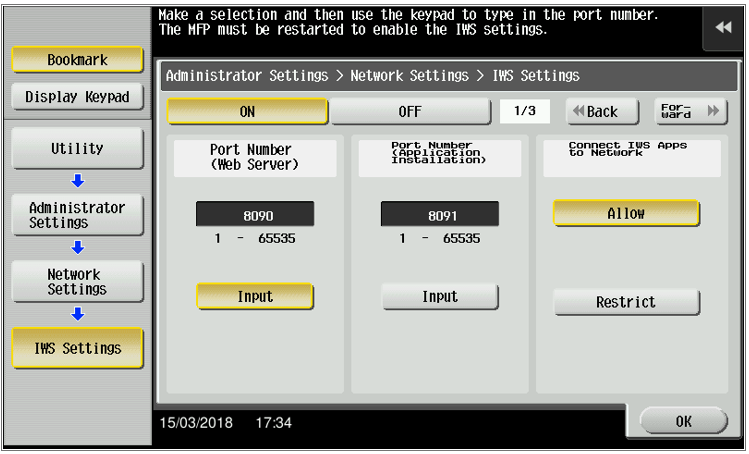
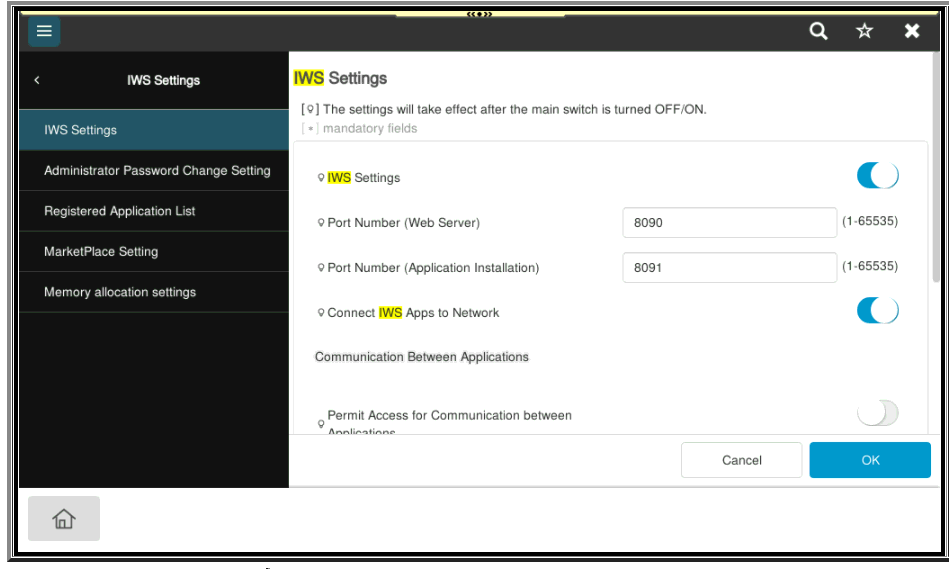
1. The IWS setting must be turned ON:
Utility → Administrator Settings → Network Settings → IWS Settings → ON
This is the screen for the newer models:
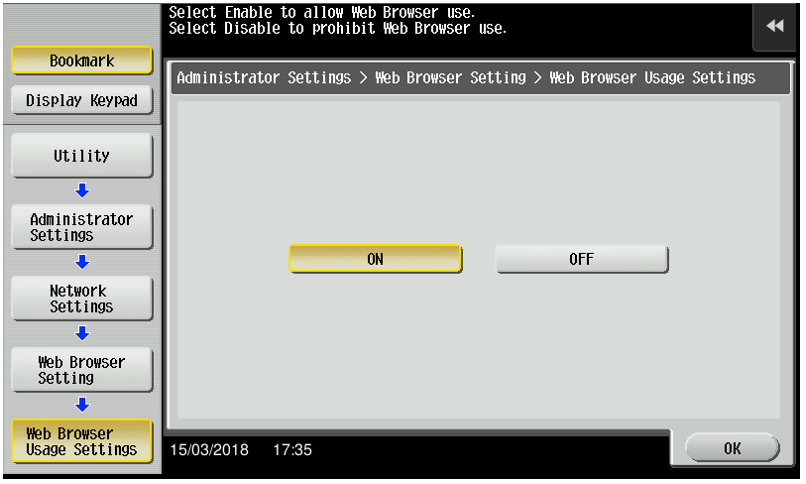
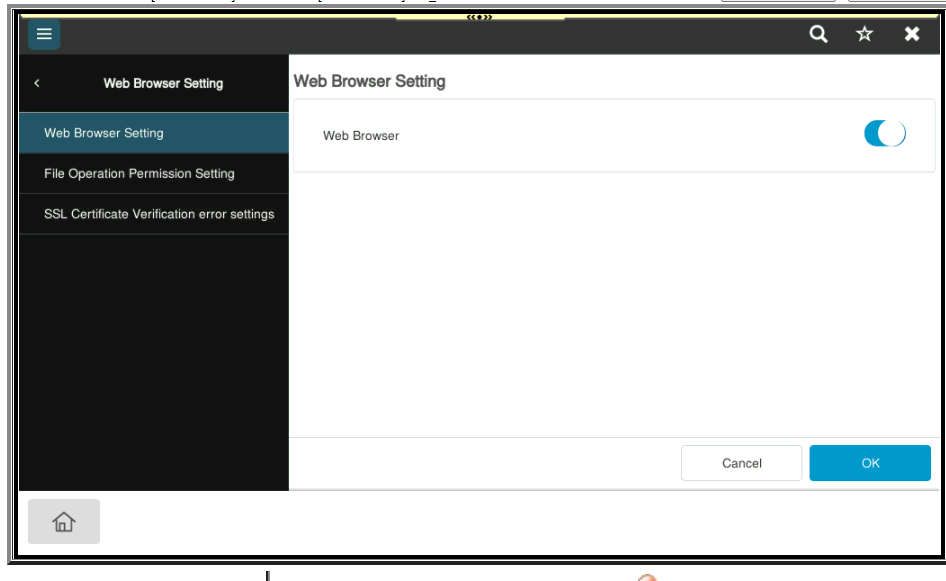
2. The Web browser must be turned ON:
Utility → Administrator Settings → Network Settings → Web Browser Setting → Web Browser Usage Settings → ON
This is the screen for the newer models:
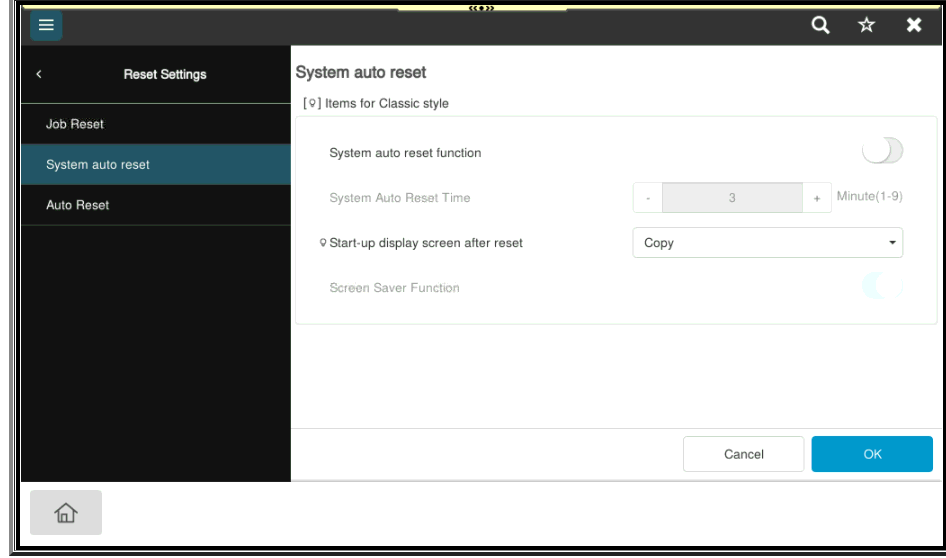
3. Disable System Auto Reset:
Utility → Administrator Settings → System Settings → Reset Settings → System Auto Reset → OFF
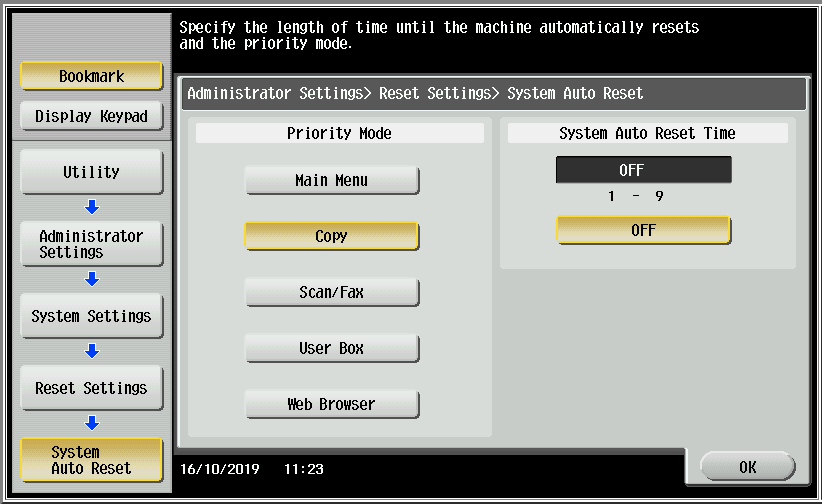
This is the screen for the newer models:
4. The Slider Menu should be turned OFF:
Utility → Administrator Settings → System Settings → Custom Display Settings → Slider Menu Settings
Next steps https://docs.ysoft.cloud/docs/latest/safeq-cloud/iws-cloud-terminal-configuration