
2025.12.11
Legend:
Added feature
Improved/changed feature
Bug fixed
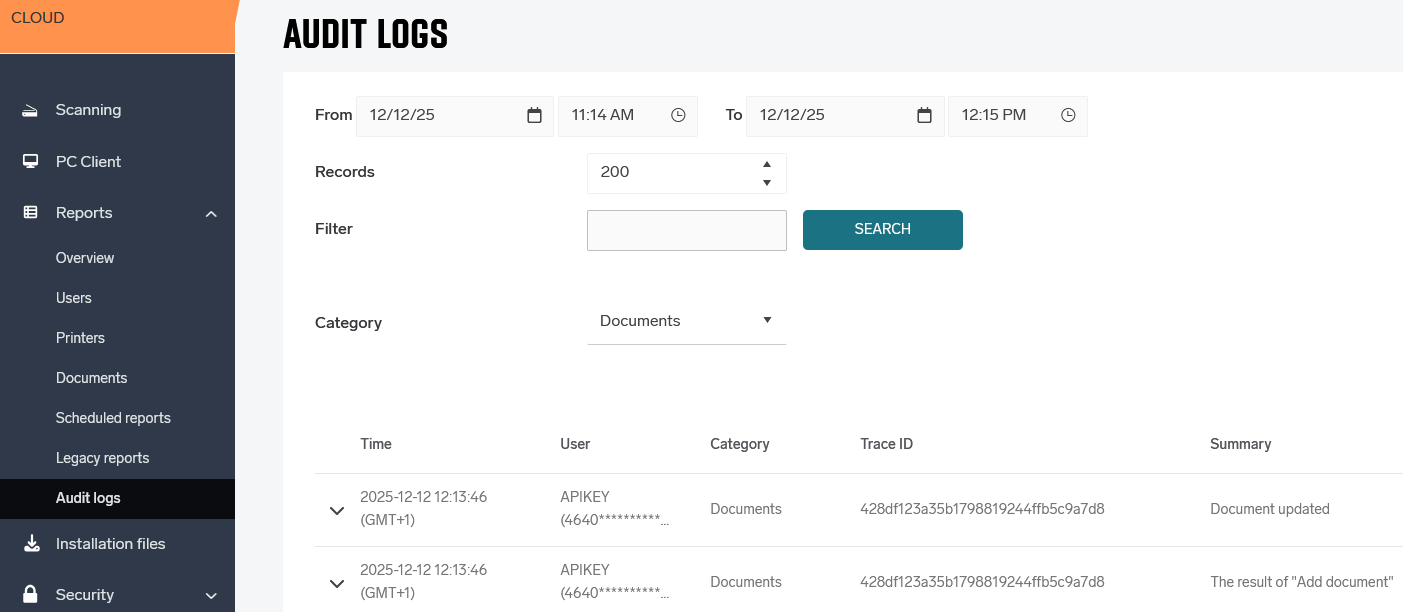
Audit Log
Administrators can now view detailed audit logs showing who did what, where, and when across their environment. Audit logs provide visibility for security, troubleshooting, and compliance, and can be exported for further analysis. This is the first public availability of Audit Logs. See Audit logs for details. (HCP-14039)
Reporting
ESG Reporting has been improved with clearer date range visibility, updated terminology (including US-specific page size naming), and chronologically sorted exports. (HCP-15439)
Google Workspace
User roles can be linked to groups and individual users - to manage access control. (HCP-15367)
Konica Minolta Gen 2 Cloud Terminal
The Device Locking feature is now available to all customers as a BETA without requiring a feature flag. Availability is limited to regions where the IWS Service Platform is offered via the Konica Minolta Marketplace (HCP-15338).

The card registration flow has been improved to better handle multiple badge swipes during enrollment. This reduces risk of possible user confusion during the unfinished registration process and ensures a clearer, more predictable experience when completing card setup.(HBT-5900)
Ricoh Gen 2 Cloud Terminal
Copies can be collated and shifted using EOPJOBOFFSET attribute. (HCP-14730)
Improved paper jam message. (HBT-5834)
When a custom driver is used, the printer display no longer allows changes to finishing options. (HBT-5903)
Application stability improvements. (HBT-5684)
Sharp Gen 2 Cloud Terminal
Scanning on Sharp devices has been improved by ensuring each scan job uses PagesPerFile=1, option, reducing issues with large scan jobs (the large jobs are send as individual pages and merged at the server processing side).
RICOH CloudStream Client
Extended Language Support (HBT-5915)
-
Support has been expanded to include additional languages: Hungarian, Indonesian, Korean, Portuguese, Brazilian Portuguese, Romanian, Swedish, Thai, Turkish, Chinese, and Malay.
Mac OS print driver is now fully localized. (HBT-5575)
The PJL header parsing (HCP-15292) setup have been simplified and clarified a bit. (HBT-5891)
RICOH CloudStream Client now correctly synchronizes even when
ClientSideAcl is enabled in Citrix environment. (HBT-5911)
Mobile App
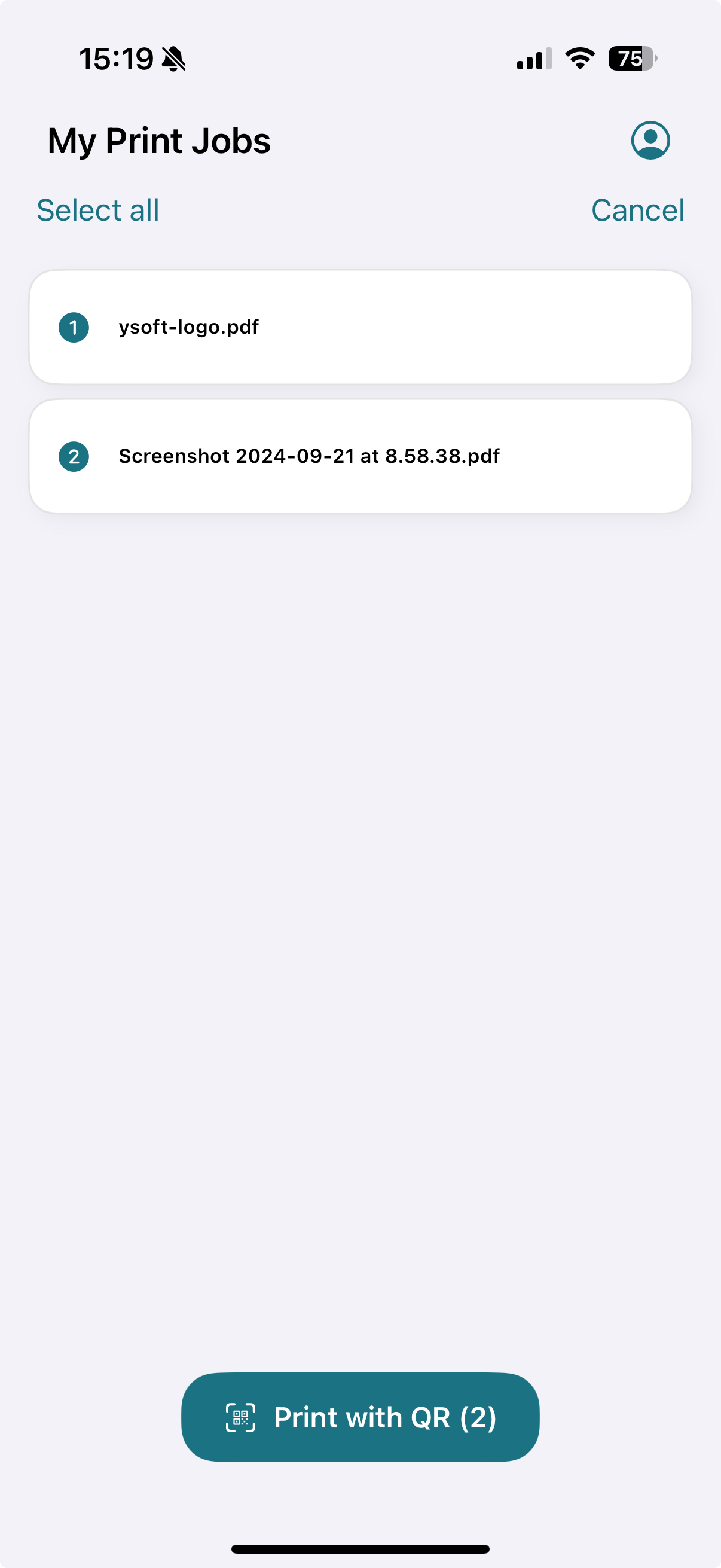
Users can now print via the native print menu also when the app is not running. (HBT-5896)
Other
Admin Web UI Italian and Portuguese translations were improved based on feedback. (HBT-5872)
Email templates now correctly translate
expiration-time variable. (HBT-5788)
Scanning stability improvements. (HBT-5837)
Security improvements. (HBT-5716, HBT-5856)
2025.11.27
Legend:
Added feature
Improved/changed feature
Bug fixed
Reporting
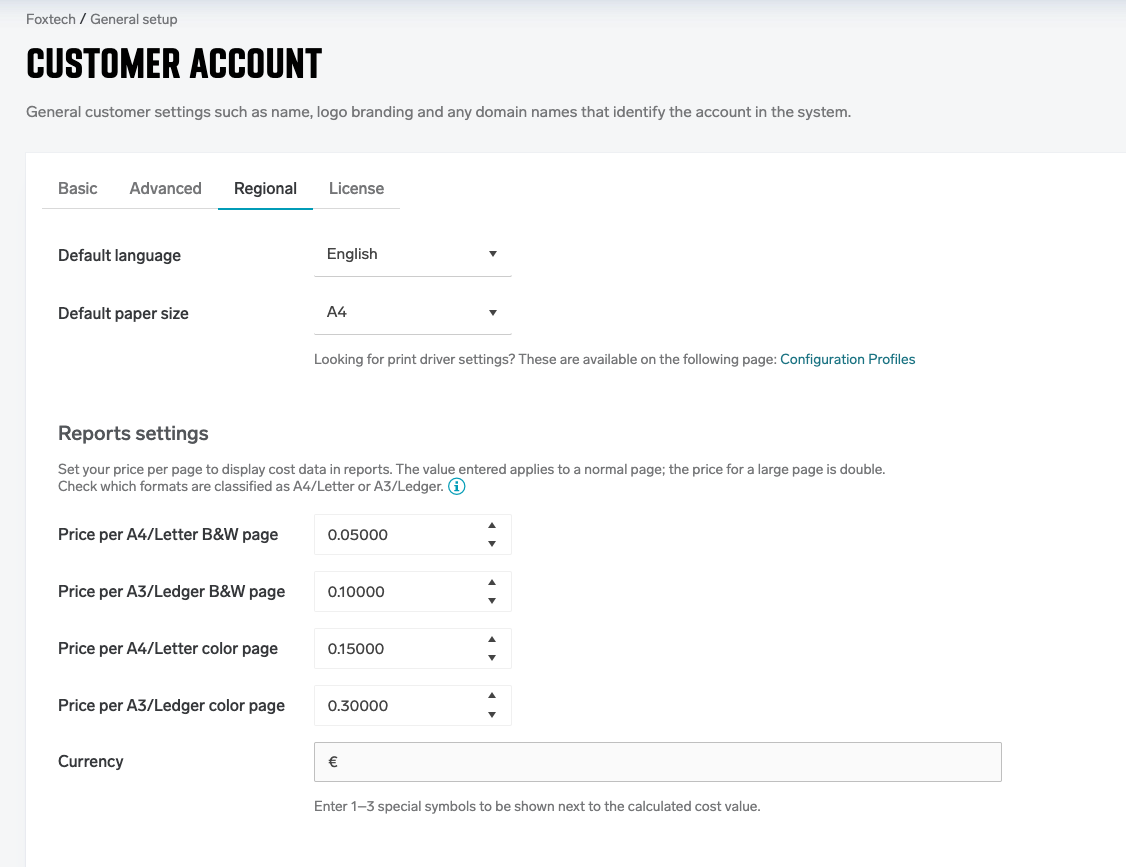
Simple Price List for Cost Reporting (HCP-15323)
Customers can now configure a simple price list to assign per-page costs, enabling clearer cost visibility and more accurate reporting across various usage reports.
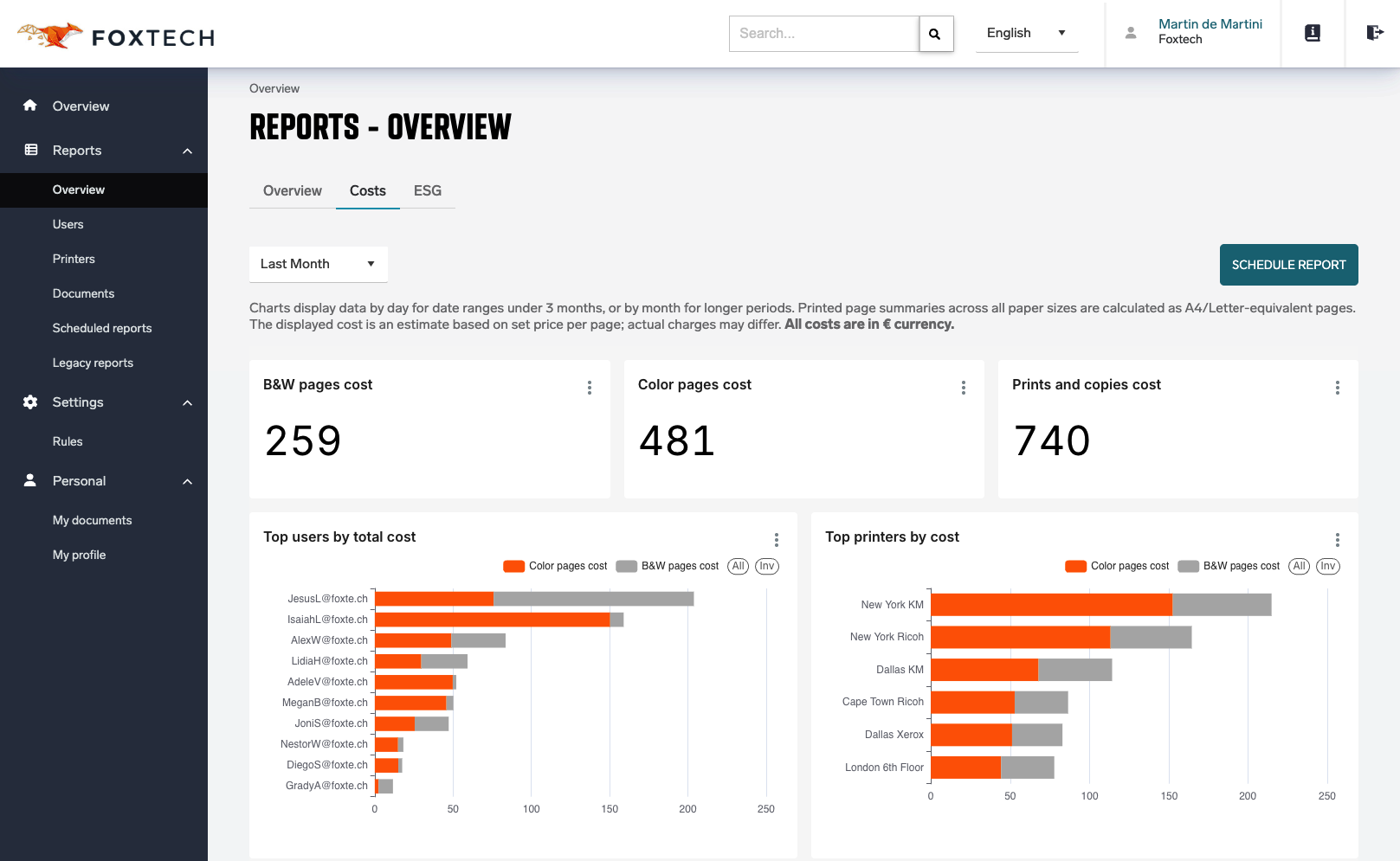
Reports Now Support Both Page Counts and Cost Views
All reports can now be viewed using either page counts or cost-based metrics, giving customers greater flexibility and insight into their print and scan activity. (HCP-15323)
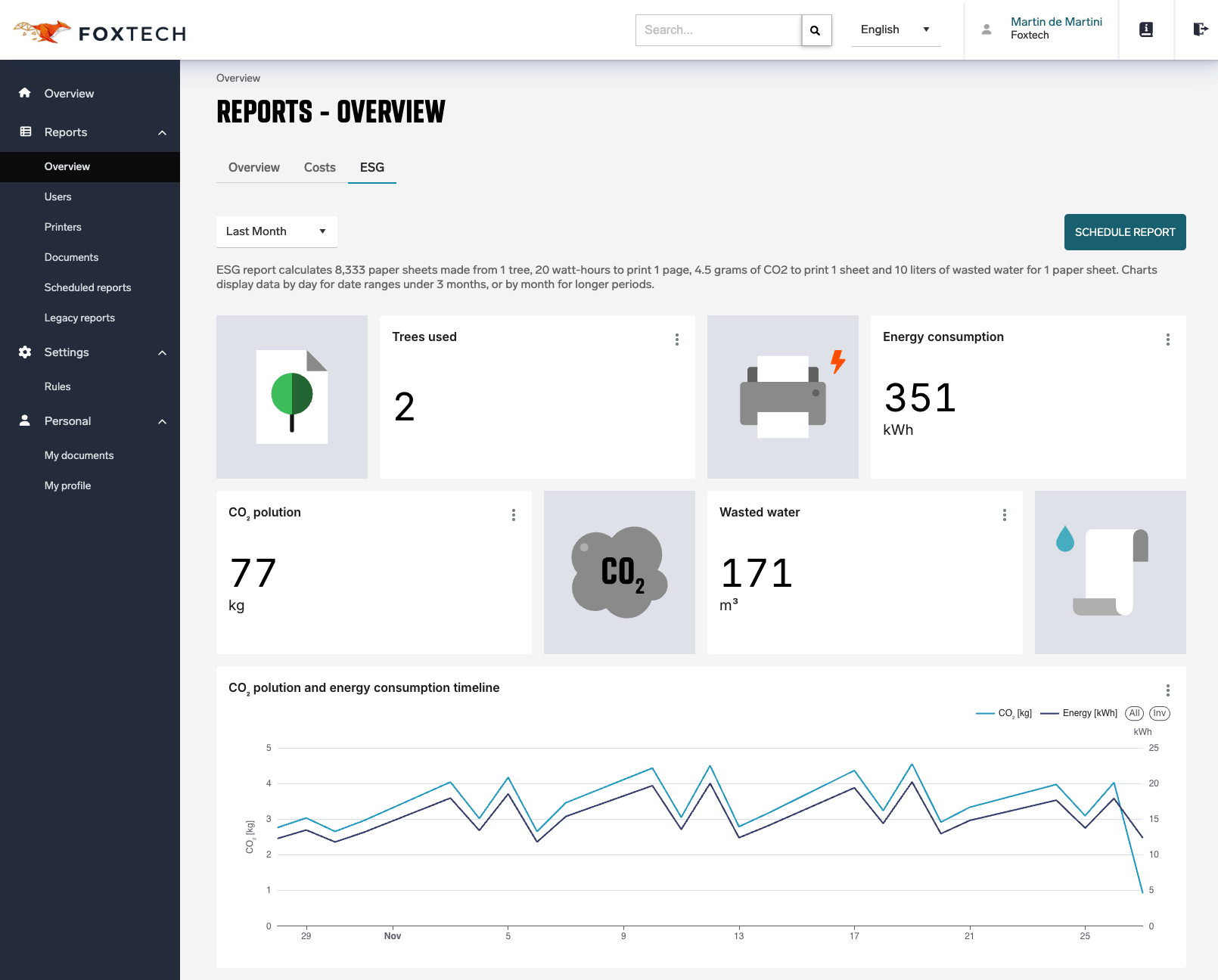
ESG Impact Reporting Added
Customers can now access basic ESG reports that show the environmental impact of their printing, including estimated CO₂ emissions, electricity consumption, and the equivalent tree usage associated with their print activity. (HCP-15388)
Web Admin UI
Vendors now receive dedicated email notifications only when one of their tenants has an expired license or is scheduled for deletion. (HCP-15361)
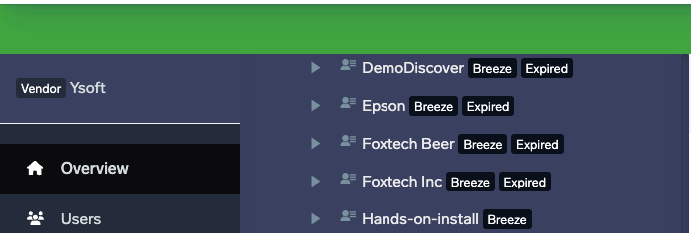
Vendors now see tag “expired" directly in the customer tree menu (HCP-15401).
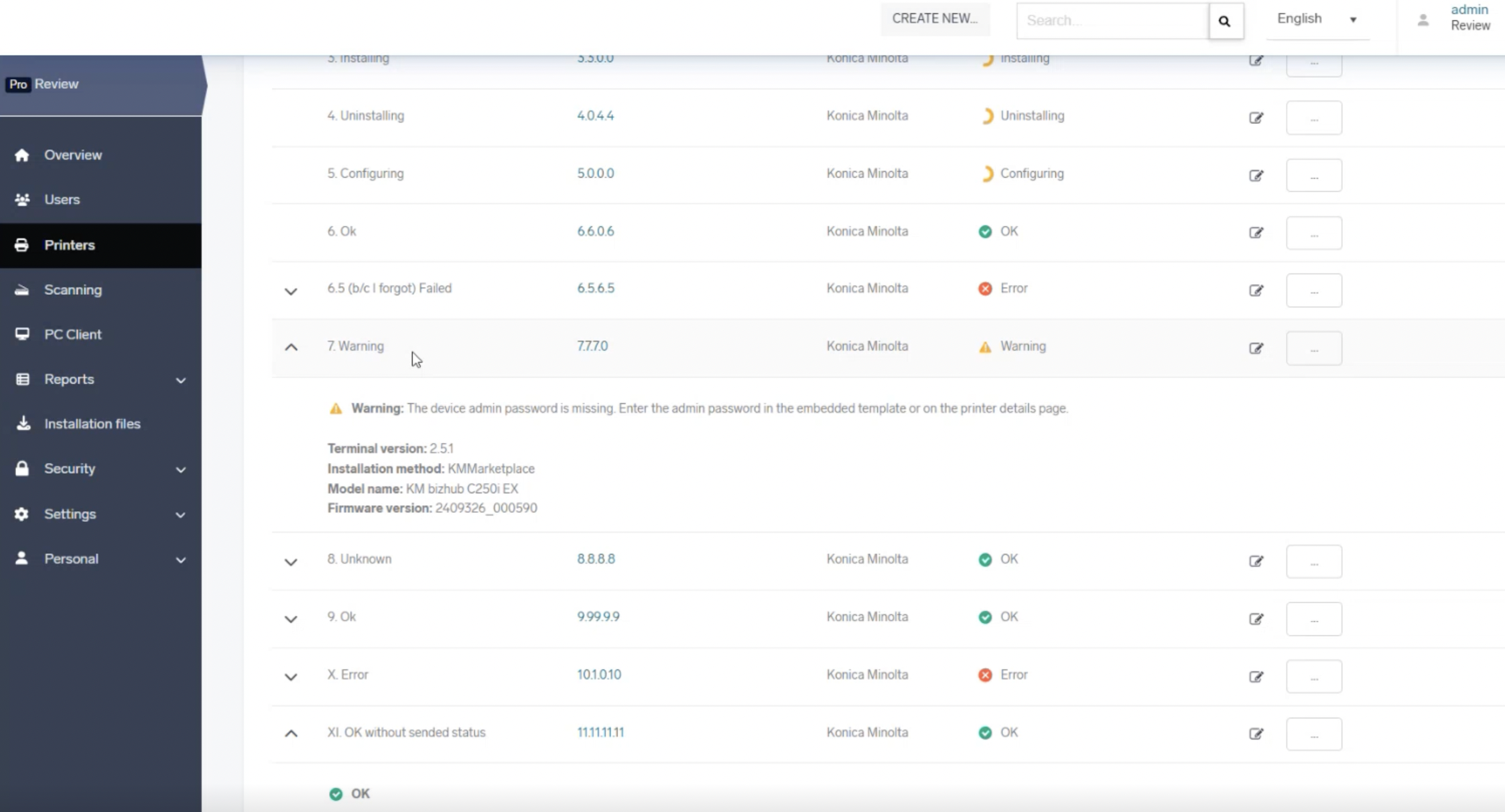
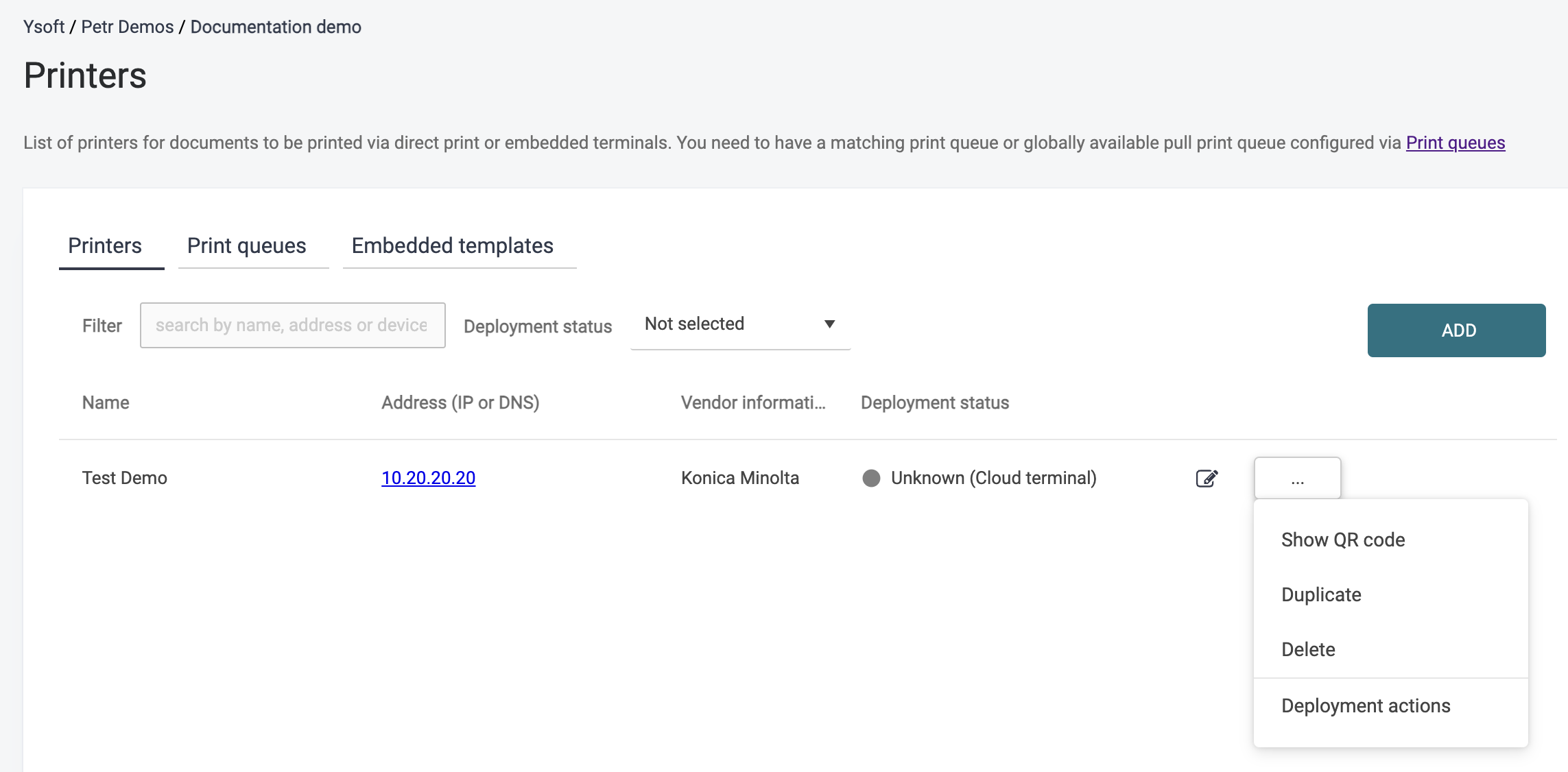
The printer list now displays the status of the embedded terminal configuration, along with additional details such as device or application version (when available). If an installation or configuration fails, the list also shows clear status or error details to help administrators troubleshoot quickly (HCP-15348).
Rules now support a new mechanism for parsing and manipulating PJL header usernames using regular expressions. This allows administrators to match and extract only part of a document attribute—such as the final username segment—rather than requiring an exact full-value match. This enhancement is especially useful when processing documents retrieved via API from large ERP or mainframe systems, where PJL headers often include complex or extended identifiers. (HCP-15292)
If customers activate or purchase the newly structured license format, they can use different expiration dates for individual printers or device groups. The License tab clearly displays the expiration date of each device group, as well as the final group expiration that determines when the product stops functioning (HCP-15159)
Google Workspace identity provider now supports Google Directory groups and department synchronization (HCP-15352)
Already assigned devices are no longer reassigned to a different default embedded configuration during synchronisation (HBT-5841)
Konica Minolta Gen 2 Cloud Terminal
Simplified Deployment With IWS Platform (BETA)
Deploying the Gen 2 Cloud Terminal with the device locking on Konica Minolta devices is now significantly easier. To benefit from device function locking, managed access to the device functions and accurate reporting of printed, copied, and scanned pages, Konica Minolta customers still require the secondary IWS application (KM Service Platform PF, available in selected markets via local or regional KM offices).
Previously, configuring device locking required two separate, highly technical setups, making deployment cumbersome and error-prone. Now, only the standard Cloud Terminal configuration is needed. Device locking is automatically enabled or disabled based on the “Lock device” toggle in the Administrator UI.
Embedded terminal templates of "IWS Service Platform" application types have been updated to "IWS Gen2" application types. This change does not impact users; existing functionality continues to work as before.
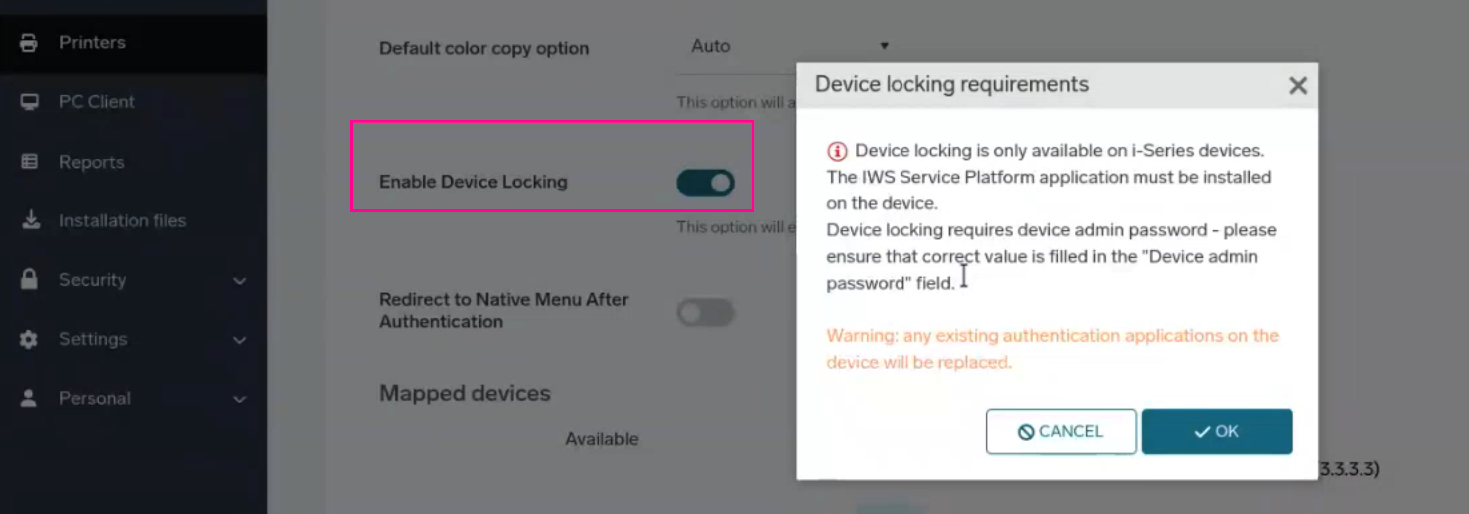
This functionality is still available as a BETA and requires the following feature flags:
-
KmIwsDeviceLocking (previous Feature flag KmIwsServicePlatformEmbedded have been removed)
-
Terminal version 2025.11.01 or newer on the KM BizHUB i-Series device
Contact your support representative to enable these features. (HCP-14946)
Other Cloud Terminals
'Offset' option in the Universal Print Driver to manage output stack collation now works properly for pull print on Ricoh (HCP-14730, HBT-5851) and Konica Minolta (HCP-14729)
Further improvements done on HP Cloud Terminal to prevent device loosing it’s registration (HBT-5825)
Android Mobile App
Users can now properly remove added printers through the native print dialog on Android (HCP-15355)
Scanning
Scan Workflows now support the %deviceSerialNumber% variable, allowing the printer’s serial number to be automatically inserted into output file names and metadata fields (HCP-15341).
Various Security and Usability Improvements
SAFEQ Cloud administrator session token duration had been reduced to 30 minutes (HBT-5784)
HTTP Response now doesn’t contain some unnecessary verbose stacks (HBT-5734)
2025.11.13
Legend:
Added feature
Improved/changed feature
Bug fixed
Automatic Creation of Scan to Email Workflow: The Scan to Email workflow/connector is now automatically created when a new customer account is provisioned. The workflow name is fully localized, and access is automatically granted to the Local Users group. (HCP-14871)
License Management
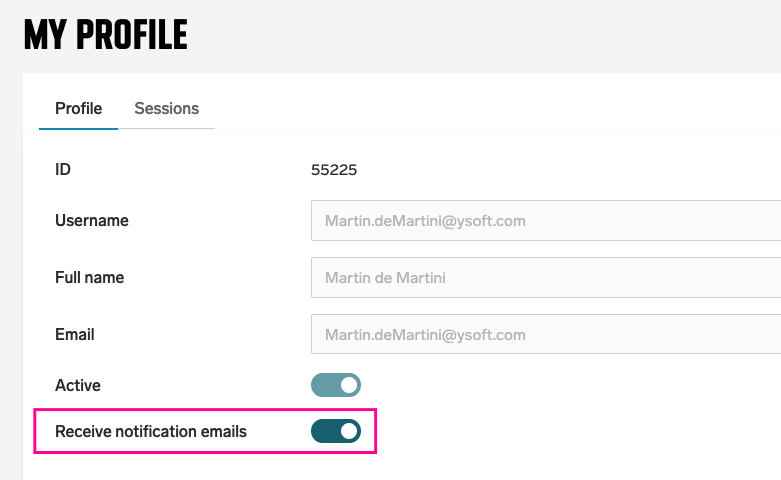
Administrator notifications for license and tenant lifecycle: All customer administrators (users with the ModifyLicense permission, e.g. the default Administrators role) are now notified several days before a license expires and again before the expired tenant is automatically deleted. Deletion occurs after 30 days for trial tenants and 90 days for tenants with an expired production license. (HCP-15279)
Administrators can opt out of these notifications in their profile settings.
Reporting
Improved Detail in Reports: Reports now correctly distinguish between A4/Letter/Small and A3/Ledger/Large page sizes across all views. Total page counts are calculated using normalized pages, where one A3/Large page equals two A4/Letter pages. For historical data where page-size breakdown was unavailable, the respective fields show N/A, while total normalized pages remain accurate. (HCP-15193)

Other Cloud Terminals
Xerox Gen 2 Cloud Terminal: Fixed an issue where users could be redirected to Quick Actions even after being logged out (HBT-5836)
HP Gen 2 Cloud Terminal: Fixed an issue where users could not authenticate with a card on slower devices (HBT-5803)
HP Gen 2 Cloud Terminal: Direct printing while someone else is logged at the MFD is now accounted correctly. (HBT-5604)
Mobile Application (iOS)
The mobile app now includes a built-in tool to gather diagnostic logs and device information, making troubleshooting significantly easier. Users can collect and export logs—including app version, OS version, and device model—directly from the profile page and send them to support via email or any preferred channel. (HBT-5757)
Other
RICOH CloudStream Client now correctly lists hostname when registering an endpoint in local storage mode. (HBT-4979)
Admin Web UI visual improvements (HCP-15330)
Chromebook extension stability improved. (HBT-5776)
Various fixes and security improvements (HBT-5840, HBT-5809, HBT-5830, HBT-5826)
2025.10.30
Legend:
Added feature
Improved/changed feature
Bug fixed
Reporting
Enhanced Reporting is now fully supported and available to all customers (BETA tag removed)
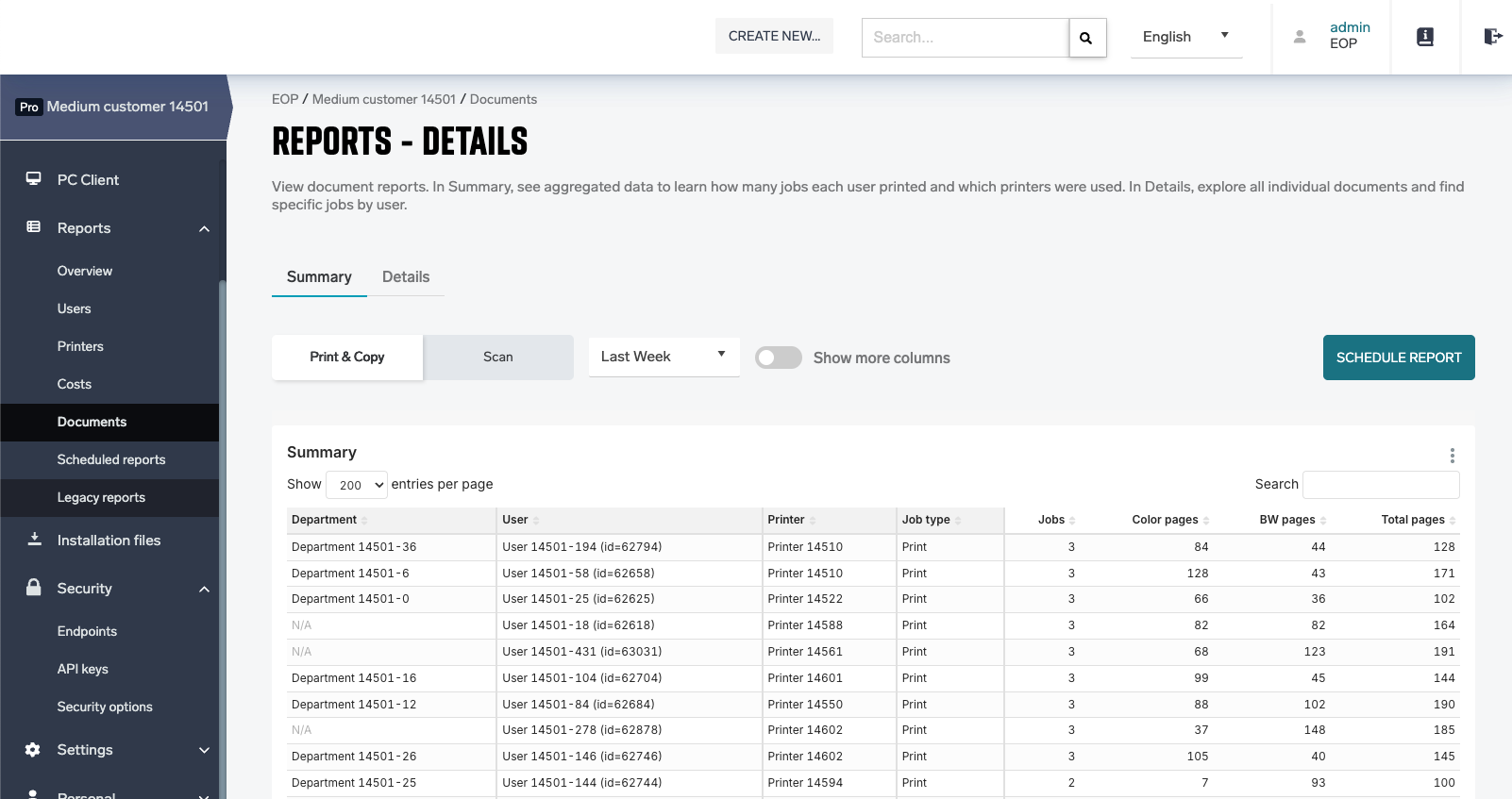
Enhanced Reporting now includes detailed export and aggregation features, improved column management, and a clear distinction between Summary and Detail views (HCP-15134).
-
The Summary view aggregates data by user, department, printer, and job type, with aggregation columns highlighted in grey. Sorting by department, user, printer and job type is supported, where the default sorting highlights sorts by department and highest number of jobs.
-
Exports always include all records, regardless of search queries or column reordering in the UI. The search bar functions as a full-text search across all columns, not as a data filter.
-
The Summary view shows aggregated data (excludes dates), while the Detail view includes date, time, document name, and UUID — ideal for customers looking to analyse the data externally.
-
When ‘Hide sensitive data’ is enabled in Security settings, sensitive fields such as usernames and document names are replaced with anonymized strings. Exported data respects the same anonymization rules to ensure privacy in both the UI and downloaded files.
RICOH CloudStream Client Improvements
User Principal Names (UPNs) are now supported in the RICOH CloudStream Client for AD-joined macOS devices, improving compatibility with enterprise directory authentication (HCP-15291)
Users in Citrix and remote desktop environments now see only the printers they have access to, based on access rights or their personal selection. Previously, all configured print queues were visible to all users unless a Windows print server was used. With this update, print servers are no longer required, simplifying deployment and improving security and user experience.
Note: to enable this feature (ClientSideAcl), ask your support representative. (HCP-15045)
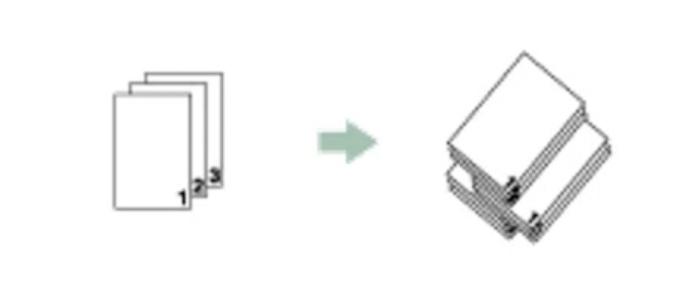
Added new 'Offset' option in the Universal Print Driver to manage output stack collation for direct (instant push) print on Ricoh, Sharp and Konica Minolta devices with respective finisher (HCP-14727). See known limitations for supported scenarios.
RICOH CloudStream Client installer provides option to keep or overwrite configuration if the client was already installed. (HCP-15277)
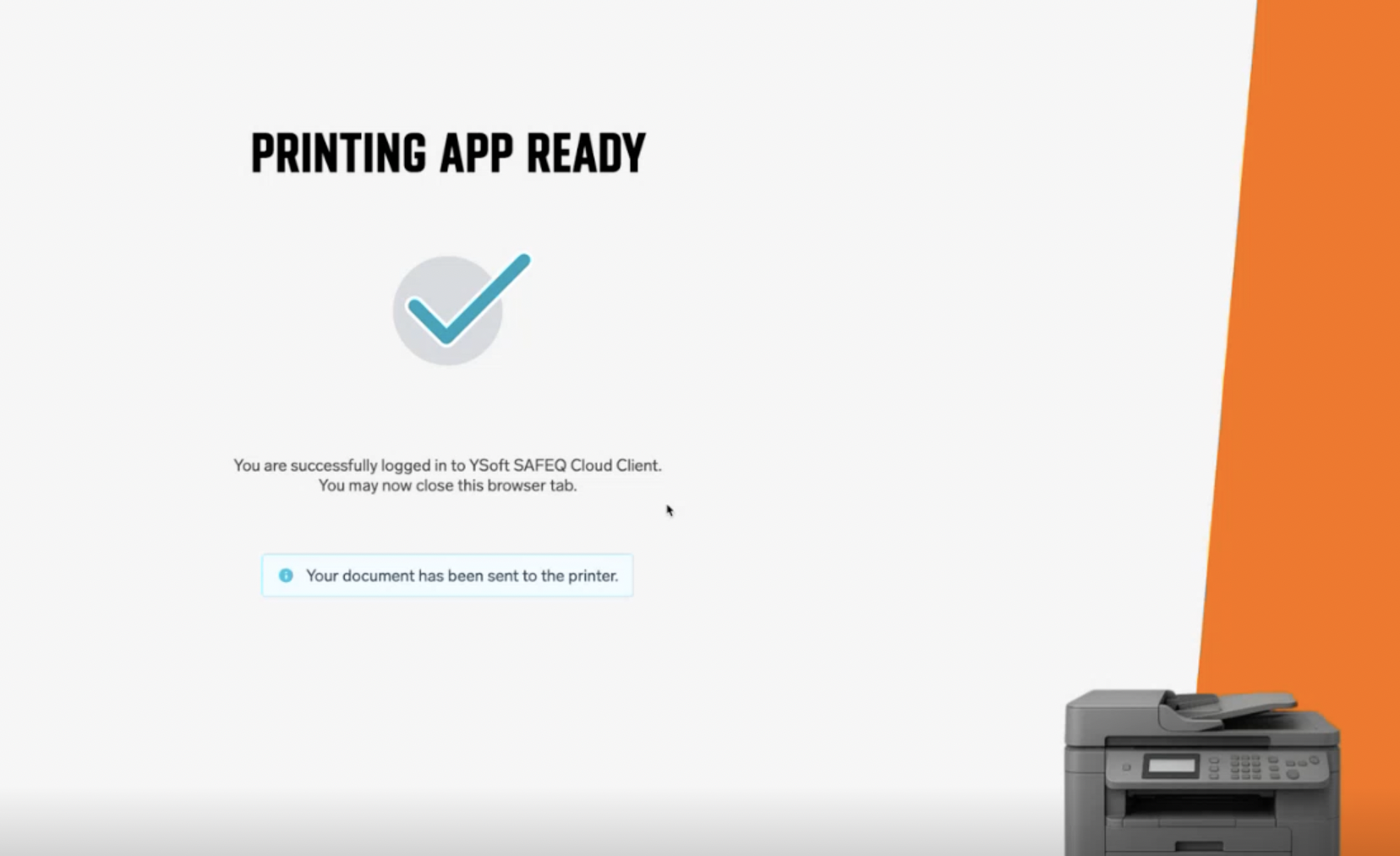
The login success screen on the RICOH CloudStream Client now clearly informs users that their job has been sent when authentication is required before printing, removing confusion about whether they need to resend the document. (HCP-15072)
Xerox Gen 2 Cloud Terminal
Improved behavior with long user sessions. (HBT-5836)
Settings admin menu translations corrected. (HBT-5353)
Ricoh Gen 2 Cloud Terminal (v3.0.7)
Security advisory: Customers are strongly advised to update to this version or newer.
Resolved a rare issue where a newly logged-in user could see and release print jobs belonging to a previously logged-in user.(HBT-5636)
See more information in the Ricoh Terminal release notes.
Cloud Terminals
Booklet and stapling now works with all Cloud Terminals (HBT-5808)
Having more printers with the same IP address in one environment is no longer causing problems with embedded installation. (HBT-5057)
HP OXPd: Authenticated users can not access restricted device functions (Settings, Reports) without authenticating with the device administrator credentials (HBT-5742)
Mobile Print
iOS users can now search for a print queue. (HCP-15222)
'Page Range' finishing option is not supported with the mobile app, it was removed. (HBT-5726)
Various fixes
Web UI has corrected alignment in logs page. (HBT-5794)
Reorganize buttons on Customer account page for consistency. (HBT-5736)
When deleting a messaging service there is now a validation of its use for password recovery. (HBT-5469)
Other security fixes (HBT-5761, HBT-5782, HBT-5705, HBT-5718)
2025.10.16
Legend:
Added feature
Improved/changed feature
Bug fixed
Google Workspace integration
User groups are now automatically loaded and assigned without the need for a service account, simplifying setup and synchronization. (HCP-15135)
Google Chrome Extension
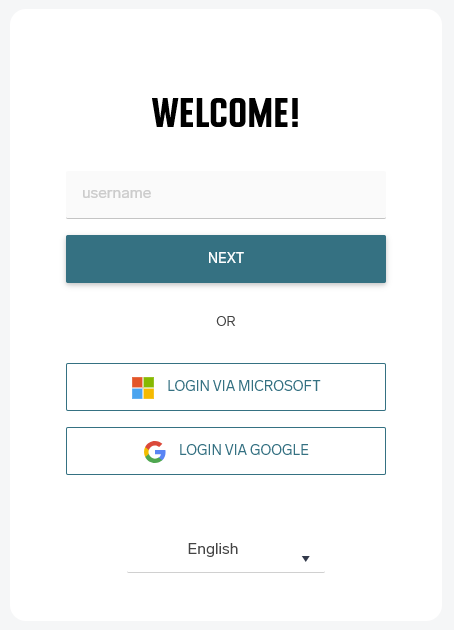
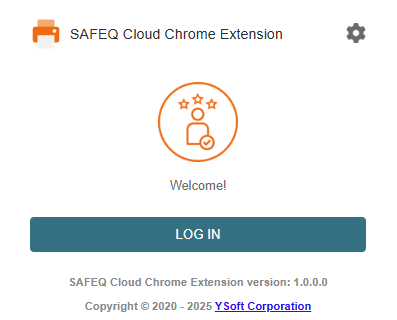
The Chrome Extension now offers seamless integration with all authentication providers, delivering faster, more stable sign-in. Users can log in using any configured method — from internal application accounts to external Single Sign-On options like Entra ID, Google Workspace, or even legacy systems such as LDAP. (HBT-5576)
OMNI Bridge Gateway
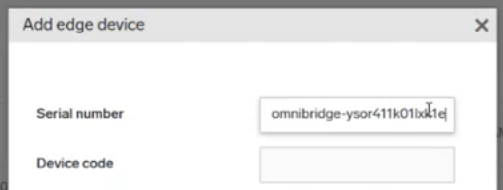
Connecting and onboarding OMNI Bridge as an on-premises gateway is now simpler. Partner Portal credentials are no longer required for authentication — devices can now be registered directly from the web interface using only the OMNI Bridge serial number and the displayed device code. (HCP-15133)
New Reporting
The Web UI no longer limits reports to 1,000 objects — larger datasets can now be fully displayed and exported. (HBT-5686)
RICOH CloudStream Client
Auto-update now works as expected even when the RICOH CloudStream Client is connected to a local gateway. (HBT-5664)
Other
Security enhancements (HBT-5735, HBT-5732, HBT-5731, HBT-5720, HBT-5773, HBT-5704)
User attributes (primarily
Department) are now handled based on the identity provider configuration. If the provider does not supply such claim, the field is treated as local and can be edited via the Web UI and API (HBT-5685)
2025.10.02
Legend:
Added feature
Improved/changed feature
Bug fixed
Admin Web UI
We’ve extended the ability to use the new raster formats beyond the onboarding wizard. Printers can now be configured in the Printers Advanced Setup UI for all customer tenants. (HCP-15071)
Trial license now allows 200 core and 100 enhanced licenses (100 print and 100 MFD). (HCP-15151)
Guest users can now properly login when OIDC authentication provider is set with asterisk in domain. (HBT-5172)
Search results are now properly anonymized when Hide sensitive data feature is enabled. (HBT-5680)
RICOH CloudStream Client
RICOH CloudStream Client now correctly respects changes in proxy settings on the workstation (such as turning on VPN) without the need to restart the client. (HBT-5493)
RICOH CloudStream Client on MacOS can now be uninstalled using a dedicated uninstaller. (HCP-14932)
RICOH CloudStream Client now properly shows Windows notifications when installed using offline mode. (HBT-5710)
New Reporting (still in Public Beta)
Reporting now properly respects “Hide sensitive data“ configuration option in Security Settings -> Privacy part so that user-level reporting is not visible to anyone. (HCP-15156, HBT-5681)

Mobile App
iOS app has been adapted to iOS 26 look and feel. (HCP-15155)
Fixed an issue on iOS where the plus button was still accessible when an error modal was displayed, allowing unintended actions. (HBT-5687)
Web Upload
Users now receive a clear message when they try to upload a file type that isn’t supported for printing (HBT-5719)
When users select an output page size during upload, the source document is automatically scaled to fit the chosen format.(HCP-15101)
FUJIFILM BI Cloud Terminal
FUJIFILM BI Cloud Terminal now allows users to navigate directly to the native copy application via the quick actions screen. (HCP-15148)
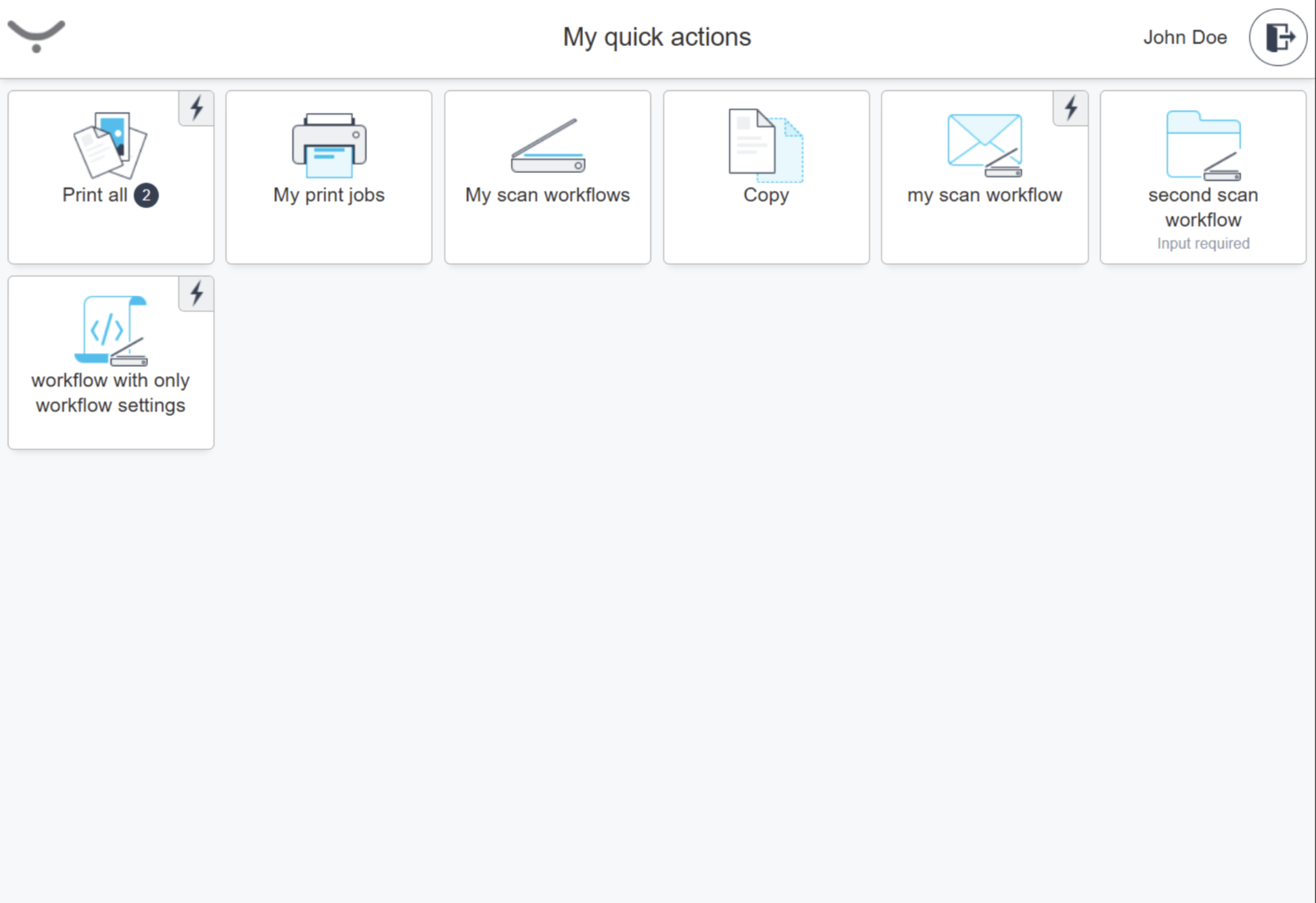
Login times on FUJIFILM BI Cloud Terminal have been improved. From card swipe or PIN entry to the quick menu is now over 50% faster, making access feel almost instant.(HBT-5690, HCP-11629)
Logout button on FUJIFILM BI Cloud Terminal is now aligned with the rest of the user interface. (HBT-5412)
Sharp Gen 2 Cloud Terminal
Sharp Cloud Terminal can now be successfully installed and configured on the latest firmware. (HBT-5668)
Xerox Gen 2 Cloud Terminal
Xerox Cloud Terminal now preserves page order for multi-file scanning workflows. When scanning multiple batches from the flatbed within a single workflow, the resulting files keep the exact sequence in which pages were scanned. (HBT-5638)
2025.09.18
Legend:
Added feature
Improved/changed feature
Bug fixed
Email-to-print
Attachments from email clients that include them inline are printed successfully. (HCP-14977)
All new customers have email-to-print available and enabled by default. (HCP-14996)
Default print values are now respected on all terminals. (HBT-5672)
Web Admin UI
An administrator can set PIN expiration. (HCP-14508)
Customers with Standard or Premium SLA can now open a detailed SLA report directly from the Overview page. (HCP-15090)

Improved experience when accepting legal documents. (HCP-15085)
Printer location now matches the settings associated print queue. (HCP-15080)
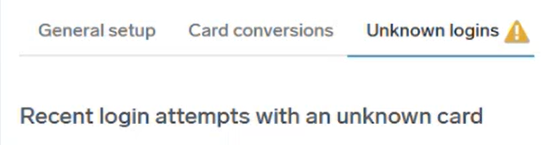
An administrator can see unknown card login attempts at the web UI (HCP-15097, HCP-14847)
RICOH CloudStream Client
New customers in countries that don’t use metric system no longer need to manually change the default paper size from “A4" to “Letter". When creating a new account, the default value for page size is automatically inherited from the parent account. (HBT-5625)
Tray icon is now showing even when using Azure Virtual Desktop. (HBT-5659)
Mac OS logging improvements. (HBT-5631)
Automatic proxy configuration is now working correctly with WPAD. (HBT-5573)
Mobile app
iOS users are informed that encrypted office files are not supported. (HCP-15095)
Google Workplace Support
Service Account Secret file can be directly uploaded. (HCP-14993)
New Reporting (still in Public Beta)
Reports now allow a custom interval. (HCP-14683)

HP Gen 2 Cloud Terminal
The app now performs as expected even on devices without scanner. (HBT-5662, HBT-5662)
Xerox Gen 2 Cloud Terminal
Pressing enter in the username field moves the user to password field. (HBT-5382)
Domain validation improvements. (HBT-5234)
2025.09.04
Legend:
Added feature
Improved/changed feature
Bug fixed
Authentication
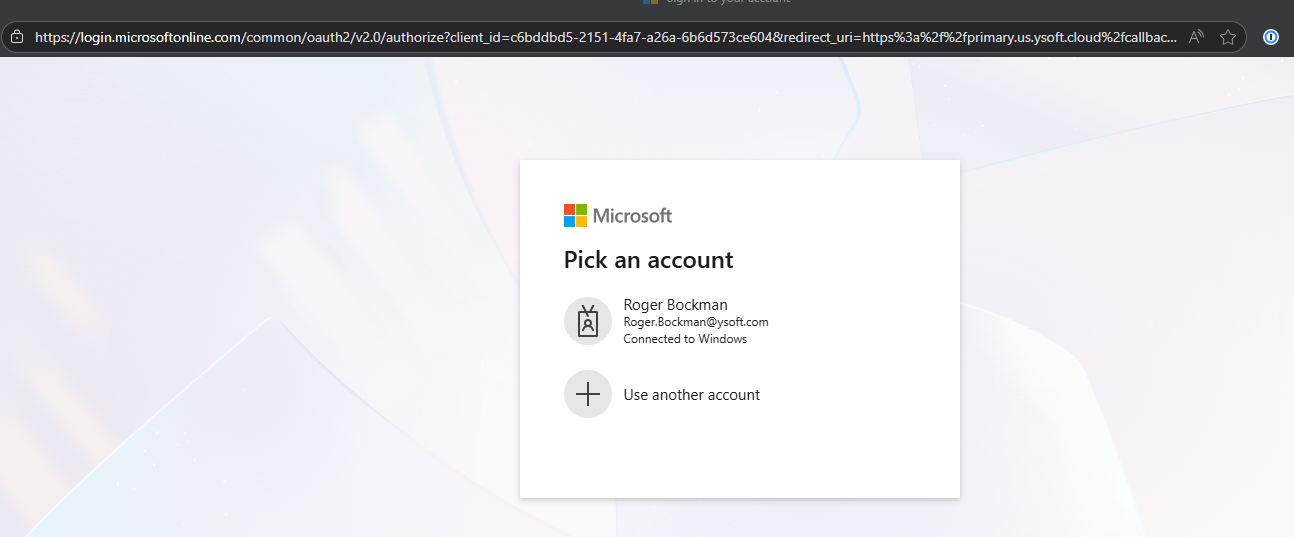
Administrators can now disable 'Local Users' on the authentication screen — ideal for customers using only external SSO providers such as Entra ID, Okta, or Google. When enabled, users are automatically redirected to the provider’s SSO page, skipping the authentication selection step (HCP-14831)
Mobile app
iOS users can now submit Office documents for print. See Using the iOS mobile app (HCP-14428)
Android App stability improvements. (HBT-5607)
RICOH CloudStream Client
Installers are signed with a valid certificate. (HBT-5532)
Xerox Gen 2 Cloud Terminal
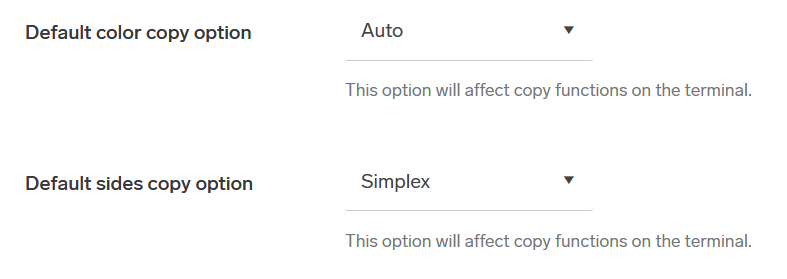
Terminal template now has options to specify what copy defaults should be set for users. (HCP-14980)
AltaLink devices now allow scanning uncommon paper sizes. (HCP-14938)
Improved panel responsiveness. (HBT-5563)
Web Admin UI
Scheduled reports UI visual improvements. (HCP-14876)
Language change no longer requires a page reload. (HBT-5416)
Legacy Terminals
Konica Monilta OpenAPI terminal now correctly staples documents based on its page orientation. (HBT-5581)
2025.08.21
Legend:
Added feature
Improved/changed feature
Bug fixed
Google Workplace Support
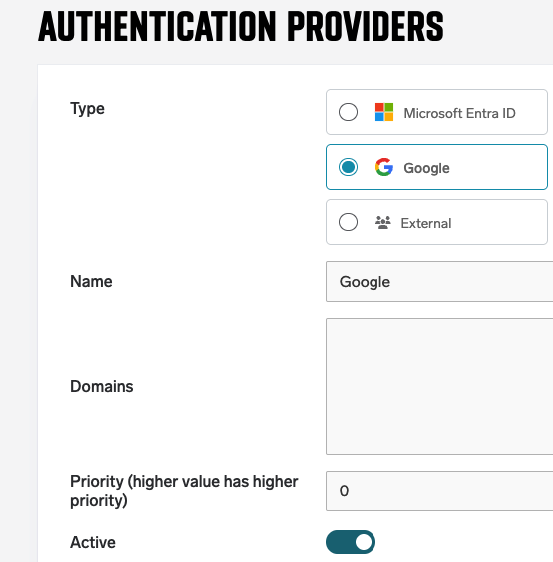
Customer can now use the standard OIDC authentication mechanism, including MFA for log in to the cloud. (HCP-14934)
Guest print
Guest users now have a limit of 10 print jobs. (HCP-14945)
MIME-Encoded attachments are now parsed and stored correctly. (HBT-5603)
Mobile app
Android users can now submit Office documents for print. See Using the Android mobile app (HCP-14428)
Web UI
Trial license now allows 100 core and 100 enhanced licenses. (HCP-15020)
Users can no longer remove documents from job history panel. (HBT-5237)
RICOH CloudStream Client
Post login screen has been reworked for an improved user experience.
Print jobs with missing PJL headers are now correctly processes when custom driver is used. (HBT-5545)
Auto-update now works even in rare environment-change cases. (HBT-5399)
New Reporting (still in Public Beta)
New Improved Reporting is now available to all customers in all regions (HCP-14969)
-
Almost real-time, fast and visual volume, usage and trend analysis at hand
-
Overview of weekly/monthly and annual volume of printing, copying and scanning with totals and timeline; duplex and color usage comparisons.
-
Monthly and annual print, copy and scan volume trends
-
Quick glimpse on efficiency of printer use or excessive/underutilized print
-
Overview of most used scan workflows
-
Top used printers by volume, color/monochorme split and top outliers (printers with unusual activity)
-
Accurate drill down of usage per printer - Weekly, Monthly and Annual usage per user / per department / per group / printer / container
-
Drill down of trends per selected user, selected department or group
-
Print and copy volumes, Scan volume, Duplex and color usage analysis and trends
-
One click export of data to excel
-
Scheduled export to email
Security Updates
Legacy and week ciphers
RSA_WITH_AES_128_CBC_SHA and RSA_WITH_AES_256_CBC_SHAhad been disabled everywhere (HBT-5587)
2025.08.07
Legend:
Added feature
Improved/changed feature
Bug fixed
Print via email
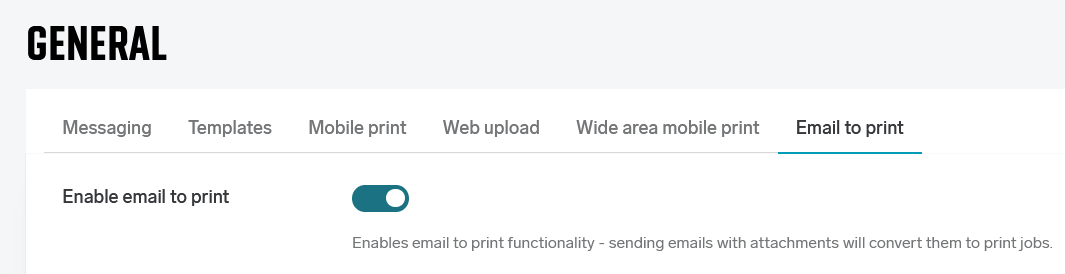
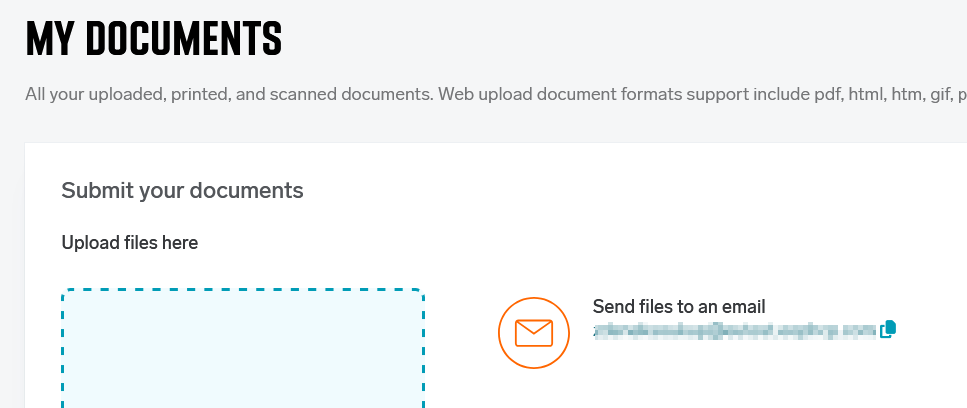
Users can send an email with documents attached. Those files will be converted and available for print in their secure print queue. See here for more details. (HCP-12336)
When enabled, guest users can use the service and receive login instruction in an email response. See here for more details. (HCP-14771)
Web Admin UI
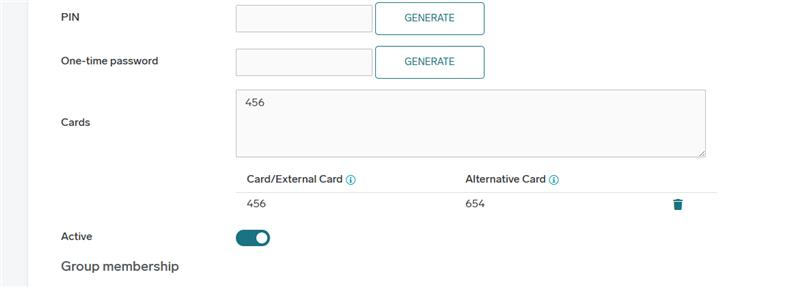
Card conversion now shows what card values are available for each user in their user detail. (HCP-14905)
Customers with beta reporting enabled
-
can now schedule reports to be delivered as dashboard screenshots. (HCP-14875)
-
-
see improved Spanish translations. (HBT-5594)
Customers in all public AWS clusters will have beta reporting enabled.
Text is now correctly translated to other languages. (HBT-5583)
Web upload now respects the selected paper size. (HBT-5515)
RICOH CloudStream Client
When a RICOH CloudStream Client filename contains a domain, for example:
safeq-cloud-client-2025.08.07.1-setup[customerdomain.com], then the advanced installation option is not offered. The RICOH CloudStream Client will start the installation right after the End User License Agreement screen. The advanced options screen is available when the domain is not present in the filename. (HCP-14907)
Proxy Auto-Configuration (PAC) file-driven proxy is now correctly detected also when set via Group Policy Object (GPO). (HBT-5597)
HP Gen 2 Cloud Terminal
HP Gen 2 Cloud Terminal now accurately accounts for what was printed. For example, when a print job is not completely printed due to running out of paper, the reports reflect that. (HCP-14951)
Rare cases when large print jobs would print two times in certain conditions were mitigated. (HBT-5531)
Konica Minolta IWS Gen 2 Cloud Terminal
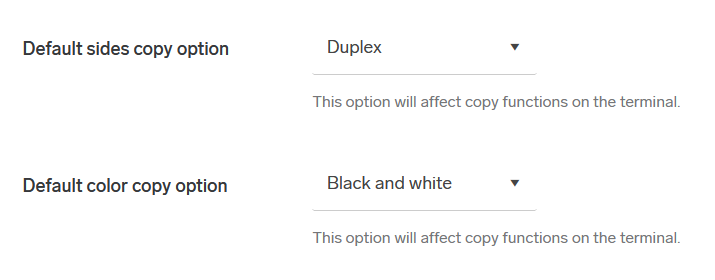
Terminal template now has options to specify what copy defaults should be set for users. (HCP-14562)
-
Note: requires 2025.08.07 or higher version
FUJIFILM BI Cloud Terminal
Accounting information is now correctly processed even for users from external sources. (HBT-5470)
Mobile App
Files with non-ASCII characters are now printed correctly. (HBT-5476)
Security
Legacy unused port 8421 was removed from secondaries. (HBT-5504)
2025.07.24
Legend:
Added feature
Improved/changed feature
Bug fixed
Admin Web UI
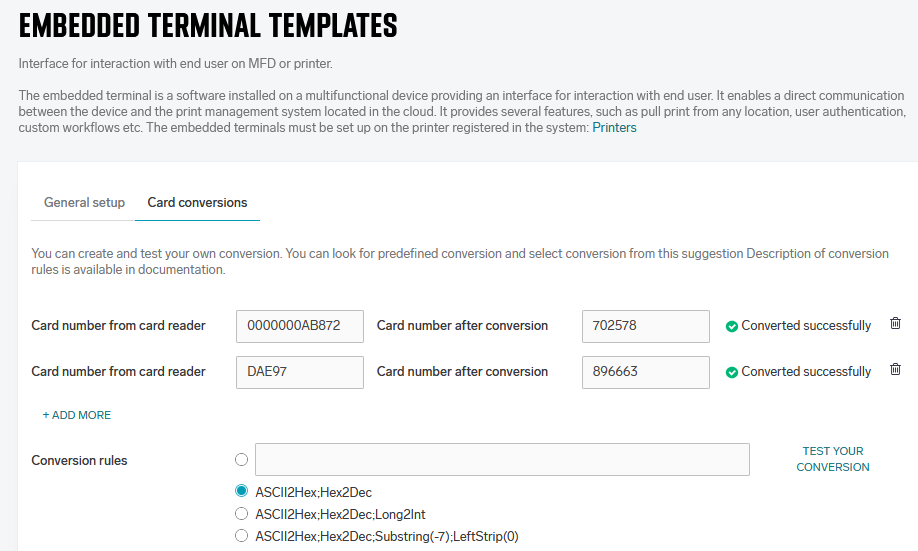
Administrators can now configure card conversion on each embedded profile. See documentation for more details: Using Card Number Conversion. (HCP-14877)
Customers in EU cluster will have beta reporting enabled.
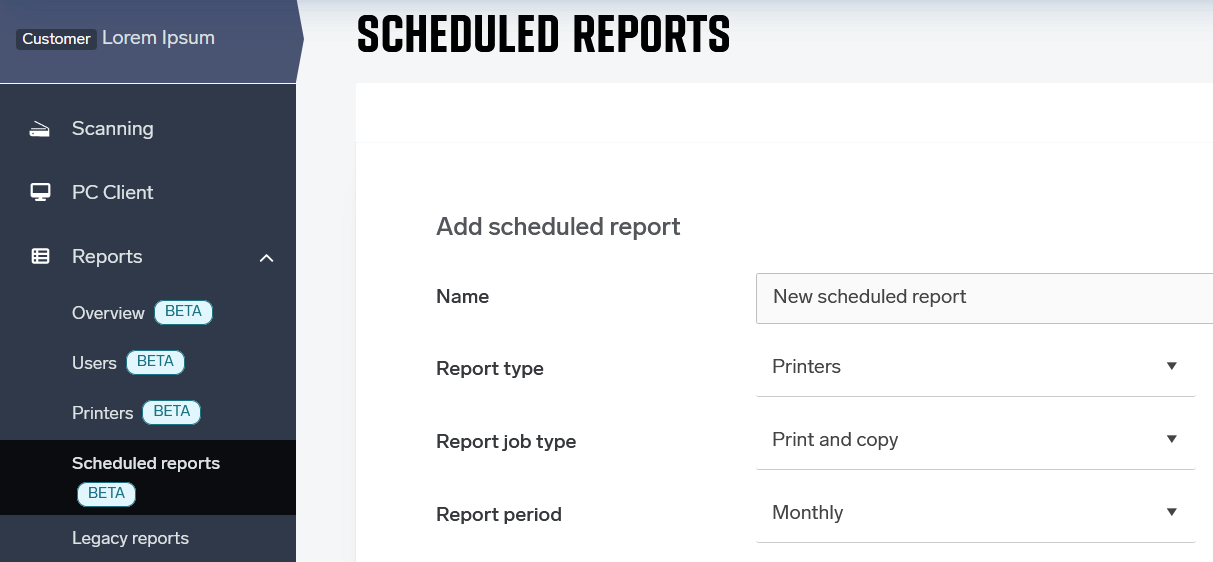
Customers with beta reporting enabled can now schedule reports to be delivered into their email. (HCP-14873, HCP-14803)
Security enhancements (HBT-4393)
Konica Minolta Gen 2 Cloud Terminal
The startup time and terminal responsiveness when used with Service platform has been significantly improved. (HCP-14833)
Scanning
Scanning with OCR now correctly detects page orientation for Portuguese and Russian documents. (HBT-5579)
Scan separation now works correctly with Ricoh Gen 2 Cloud Terminal. (HBT-5527)
RICOH CloudStream Client
Default values for
LOGINPOPUPTYPE parameter are now properly documented in Installing Cloud Client on Windows. (HBT-5569)
RICOH CloudStream Client for macOS when using quick install mode no longer opens two browser windows for login. (HBT-5414)
User now receives a conscious message when their print jobs become unavailable during printing. For example, if their notebook with RICOH CloudStream Client set to local storage mode shuts down in the middle of print job transfer. (HBT-5366)
Authentication
Documentation was updated explaining system behavior on deactivated/deleted users with external authentication providers: Authentication providers. (HBT-5377)
2025.07.10
Legend:
Added feature
Improved/changed feature
Bug fixed
RICOH CloudStream Client
RICOH CloudStream Client now allows to use existing 3rd party print driver via a
/CUSTOMDRIVER switch. See the documentation for usage and limitations: Installing Cloud Client on Windows .
RICOH CloudStream Client installer now blocks shutdown, sleep, hibernation, or restart while an update is running, ensuring your installation completes reliably. (HCP-14812)
Web UI
New reporting features (Beta) now available for all customers in the Singapore cluster.
%deviceDescription% now returns the actual device description instead of the generic “Printer” value when the variable is used in scan workflows. (HBT-5433)
Xerox Gen 2 Cloud Terminal
Terminal Deployment Tool uninstall for Xerox now either omits the
-k flag when it isn’t needed or correctly populates it as -k restore in kiosk mode. Making sure application access is automatically restored (or no invalid flag is passed) after uninstall. (HBT-5040)
Konica Minolta Gen 2 Cloud Terminal
Konica Minolta Gen 2 Cloud Terminal now processes very large batches of print jobs in smaller, managed requests, mitigating “Failed to fetch” errors on login or risk of memory issues on the device. (HBT-5392)
HP Gen 2 Cloud Terminal
Scanning workflows now display the full workflow names instead of truncating them. (HBT-5164)
Ricoh Gen 2 Cloud Terminal
Terminal now displays a clear “network unavailable” error if network connection is lost during a print job and correctly times the session out. (HBT-4169)
Job timestamps now display correctly on the terminal when the MFD is set to a later time zone (e.g., GMT-5), regardless of the device’s locale. (HBT-4998)
Terminal now gracefully handles card swipes on a sleeping MFD. (HBT-5398)
Terminal no longer loses its registration. (HBT-5523)
2025.06.26
Legend:
Added feature
Improved/changed feature
Bug fixed
Sharp Gen 2 Cloud Terminal
There is a new option to “Enable numeric keypad for PIN entry” at the terminal template. When enabled, it will show numeric keypad for PIN input field at the terminal, instead of alphabetical one. (HCP-14767)
This new option will become effective with new version of Sharp Cloud Terminal 2025.07.01.
Konica Minolta Gen 2 Cloud Terminal
Added the option to show or hide the Cloud/Native Copy/Scan application quick action. (HCP-14767)
These new options will become effective with new version of KM IWS Cloud Terminal 2025.07.01.
Web UI
Improved localization of RICOH CloudStream Client auto-update page. (HBT-5474)
The overview page no longer displays an alert about "RICOH CloudStream Clients with storage mode set to 'Cloud Storage' won't be able to print using Instant print and Mobile print". (HBT-5509) (also hotfixed)
New reporting features (Beta) now available for all customers in the Singapore cluster
RICOH CloudStream Client
RICOH CloudStream Client now correctly authenticates using OAuth 2.0 (e.g. with OKTA) also when connected to a gateway. (HBT-4968)
2025.06.12
Legend:
Added feature
Improved/changed feature
Bug fixed
Web UI
Adding printers was reworked for better experience. (HCP-14572)
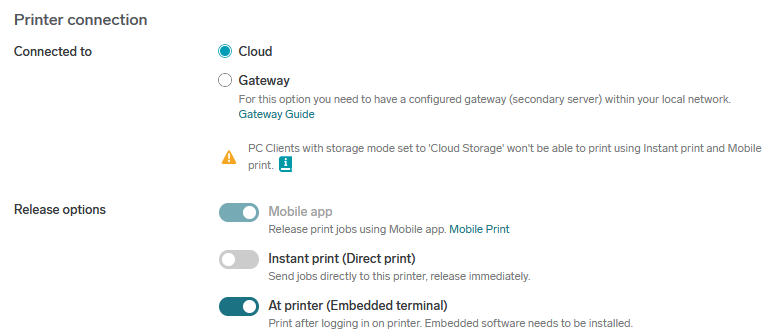
Minimal PIN length is now respected and can be lower than 6. (HBT-5454)
Xerox Gen 2 Cloud Terminal
Sending large amount of individual scan jobs no longer causes some to fail to deliver. (HBT-5453)
Konica Minolta Gen 2 Cloud Terminal
Added the option to show or hide the Cloud/Native Copy/Scan application quick action. (HCP-14724)
Automatic logout timeout now resets with typing or scrolling. (HBT-5441)
Printing
Direct offline print is no longer changed when user profiles are applied - it keeps its value. (HBT-5424)
Authentication
Built-in OIDC Web UI authentication is now available also on secondary gateway. (HBT-5039)
Guest users are now able to use the Mobile App also when SAML SSO is enabled. (HBT-5425)
Upgrading of customer-hosted environments
When upgrading to version 2025.06.12 from any prior release, manual database-level actions are required. For detailed procedure, please contact Technical Support.
2025.05.29
Legend:
Added feature
Improved/changed feature
Bug fixed
RICOH CloudStream Client
A new option for security-conscious environments: RICOH CloudStream Client can now optionally run under a restricted virtual service account instead of the default Local System. This significantly reduces security risk. To enable this requires
USESERVICEACCOUNT switch to be used during installation. See Installing Cloud Client on Windows for more details. (HCP-14631)
RICOH CloudStream Client login mechanism no longer requires some users to login two times. (HBT-5374)
Web UI
The waiting print jobs icon no longer shows a spinner. (HBT-5436)
Automatic endpoint trust was in some cases not applied even when enabled. This is now resolved. (HBT-5246)
Konica Minolta Gen 2 Cloud Terminal
Performance optimizations were added to limit "Script Busy" error message on older devices. (HBT-5185)
Xerox Gen 2 Cloud Terminal
Advanced finishing options like booklet printing, punching and stapling are now working as expected. (HBT-5383)
Push print mechanism with RICOH CloudStream Client in local storage mode was improved to mitigate a risk of document being printed two times. (HBT-5346)
HP Gen 2 Cloud Terminal
Improved support for printing multiple copies via HP Universal Print Driver (UDP) over IPP in Pull Print; jobs now correctly respect requested copy counts where possible (HBT-5368)
IPP printing
IPP endpoint is now more robust and has better throughput for accepting print jobs. (HBT-4759)
2025.05.15
Legend:
Added feature
Improved/changed feature
Bug fixed
Web Admin UI
RICOH CloudStream Client Auto-update interface has been refined with clearer indicators for manual updates, updated visuals, improved sorting, and streamlined feedback submission. (HCP-14577)
Final color adjustments across key Web UI components have been applied to ensure a more consistent and accessible user experience. (HCP-14122, HCP-14279)
My Profile -> Sessions no longer fails to load the content. (HBT-5415)
Sharp Cloud Terminal
Installation and configuration are now possible using the Terminal Deployment Tool, including advanced deployment scenarios across multiple devices. See Terminal Deployment Tool for more details. (HCP-14585)
Scanning
Scan to download scanning workflow now correctly separates pages when using barcodes. (HBT-5330)
Barcode processing is much more reliable now. (HBT-4825)
API
Creating output port via API now correctly assigns embedded configuration. (HBT-5408)
Gateways
The exceptions with gateways unable to reconnect to the primary cloud servers are now correctly handled (TryConnect exception) and gateways operate as expected. (HBT-5342)
2025.04.30
Legend:
Added feature
Improved/changed feature
Bug fixed
Web UI
Shared Print Queues - Users now can share print files with others by using the new shareable option. (HCP-14381)
The Installation Files section of the vendor account now provide an up-to-date link to the latest version of the Universal Print Driver. (HCP-14510)
Xerox Gen 2 Cloud Terminal
Manual configuration is no longer needed—when a Xerox Cloud Terminal is authorized, its printer and embedded configuration is now created automatically using the device’s serial number. (HCP-14537)
Xerox Cloud Terminal now supports configurable session timeouts (up to 15 minutes), with smart handling that pauses during active use and logs the users out upon leaving the app. (HCP-14527)
Ricoh Gen 2 Cloud Terminal
You can now install the Ricoh Gen 2 Cloud Terminal using the Terminal Deployment Tool on networks where port 80 is blocked, with updated documentation reflecting this change. (HCP-14606)
Canon Embedded Client
Added support for the Canon Embedded Client specific to the Oceania region. (HCP-14346)
Konica Minolta Gen 2 Cloud Terminal
Both native and in-app scans are now accounted correctly. (HCP-14473)
Sharp Gen 2 Cloud Terminal
We’ve fixed an authentication issue that prevented jobs sent via IPP using a vendor driver from printing on Sharp Cloud devices—these jobs are now properly handled during pull print sessions (HBT-5338)
HP Gen 2 Cloud Terminal
Improved performance and reliability of card login to address intermittent black screen issues caused by high printer usage; the terminal now delays initialization until the card is read, reducing SDK load and improving responsiveness (HBT-5308)
Scanning
Scanned documents with PDF/A compliance other than PDF/A-1a no longer fail to embed fonts correctly. Errors in Adobe Acrobat are no longer happening in such cases. (HBT-5315)
RICOH CloudStream Client
RICOH CloudStream Client no longer returns a different set of input ports depending on whether it was using API mode (cloud storage) or websocket-channel mode. Ports are now consistent across both. (HBT-5337)
Default Windows printer set by the client is selected consistently, prioritizing the one with the lowest ID. (HBT-5371)
When printing A3 documents as booklets, the output is now correctly downscaled to A4 size instead of incorrectly producing A5 on A4 paper. (HBT-5302)
2025.04.17
Legend:
Added feature
Improved/changed feature
Bug fixed
Web Admin UI
Simplified process to add a Konica Minolta Gen. 2 Cloud terminal into the environment. (HCP-14497)
Print and scan delegation improvements. Users can now share documents with people who do not yet have an account. (HCP-14467)
Renamed Entra ID groups are now correctly displayed. (HBT-4215)
Fixed an issue where guest users were redirected to an incorrect login page after clicking the ‘Go to Login Page’ button in the invitation email. (HBT-5213)
RICOH CloudStream Client
Support information package also contains safeqclientcore.conf. (HBT-4966)
Ricoh Gen 2 Embedded Terminal (3.0.5)
Booklet Printing Support, users have a wider range of finishing options.
Supported Languages, users can access the embedded terminal in their own language (Finnish, Welsh, New Zealand Maori, Arabic,Hebrew).
Easier for users to navigate to the Secure Print & Scan application.
Provides more accurate usage reporting based on device counters.
Improved logic for downloading jobs to the MFD to prevent large jobs failing to download properly
Fixed issue where user was unable to cancel job or logout if network cable is removed during large print job processing.
Fixed issue in UI with terminal version sometimes being pre-fixed with "null"
Fixed issue with card login from sleep mode resulting in "You do not have permission to print" error
Disabled System Auto Reset during print/scan background activity so that the device will no longer switch to home screen during print/scan processing
Fixed issue where application could stop when restart button is pressed during installation from Ricoh Application site
Terminal Deployment Tool
Fixed an issue where the Terminal Deployment Tool used unsecured HTTP (port 80) during deployment, configuration, and uninstallation of Xerox terminals, despite documentation stating that only HTTPS (port 443) should be used (HBT-5327)
2025.04.03
Legend:
Added feature
Improved/changed feature
Bug fixed
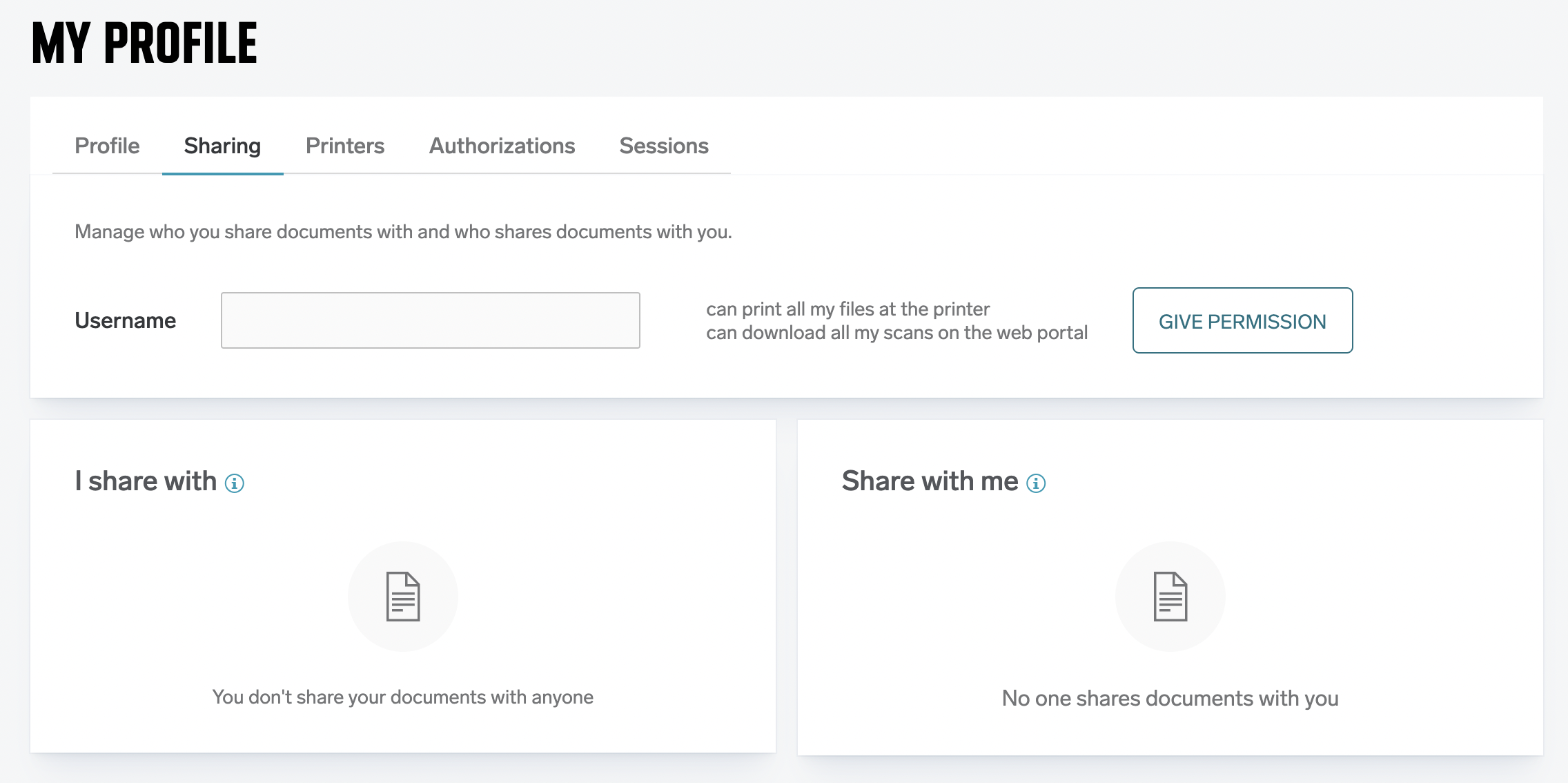
Print and scan delegation improvements (HCP-14351)
Users now have an easier way to delegate their printing and scanning (scan to download workflow) to other users. Previously, this was only possible by the administrator, now the functionality is also available to users - a new “Sharing” section in “My Profile".
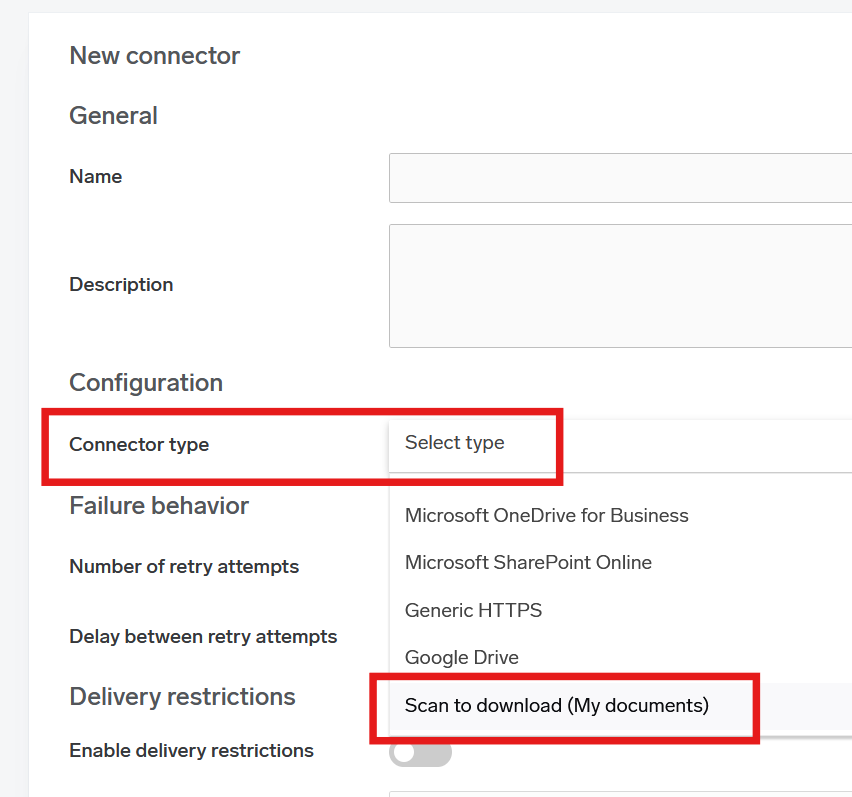
Scan to download (My documents) (HCP-13992)
A new scan connector is now available: scan to download. It’s designed for customers who don’t use cloud storage and prefer not to send scanned documents via email.
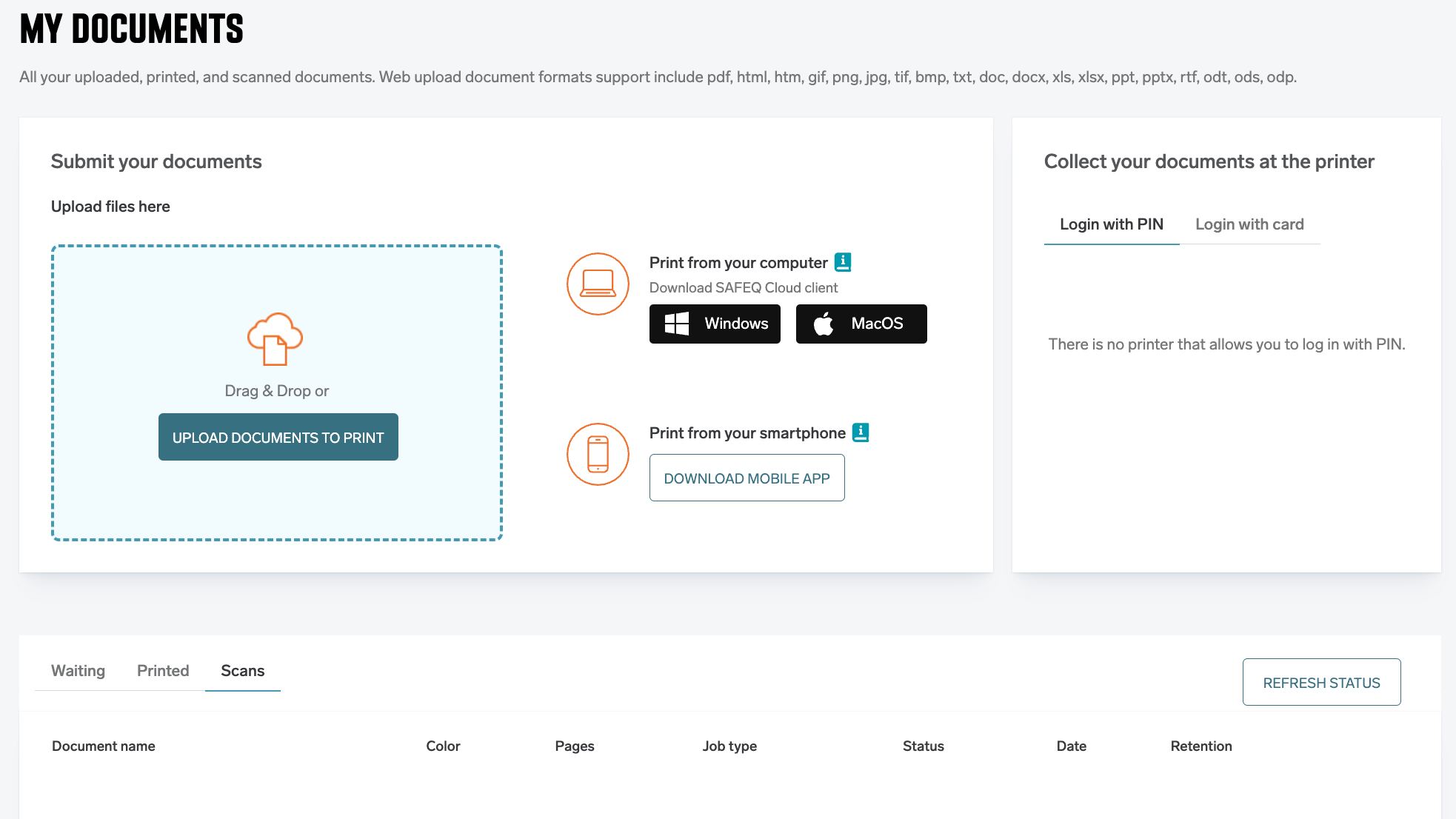
This workflow securely stores the documents in the cloud, the users are notified via email with a download link. The scanned documents are also available via 'My Documents' section in “My Profile".
Web Admin UI
UI improvements in RICOH CloudStream Client auto update section. (HCP-14427)
Cloud option removed from Terminal integrations settings. (HCP-14412)
The default type of login on default embedded templates changed to "PIN or Card". (HCP-14412)
The Gateway installer link is available on "Installation files" page. (HCP-14113)
Adjust license validations on add new printer page. (HCP-14411)
HP Gen 2 Cloud terminal
New language support added (HCP-14020)
Multiple print jobs are now reliably processed in FIFO (first-in, first-out) order based on submission time (HBT-5258)
Fixed an issue where HP Cloud Terminal Gen 2 incorrectly applied finishing options to print jobs sent via native drivers; such jobs are now passed through unchanged unless they are PDFs (HBT-4789)
Bux fixes:
Fixed an issue where creating a trigger for OTP and/or Short ID would generate multiple codes and send multiple emails—one for each print job sent by the user. (HBT-5061)
Fixed an issue where not all parts of a split scanned document are delivered. This was sometimes happening during the split processing step combined with OCR when the document was split unevenly. (HBT-5202)
Fixed an issue where card registration triggered two consecutive authentication requests to Entra ID, potentially causing false-positive “bruteforce” alerts. (HBT-5236)
Fixed an issue on macOS where the client did not persist the logged-in user after reboot due to the remember_login setting not being properly saved to client_config. (HBT-5221)
Fixed an issue where case sensitivity in the customer tenant name caused device token validation to fail. (HBT-5313)
2025.03.20
Legend:
Added feature
Improved/changed feature
Bug fixed
Scanning
A new scan to download connector is available. (HCP-13992)
-
See the documentation: Scan to download (My documents) connector
Web Admin UI
RICOH CloudStream Client auto-update report now shows more details. (HCP-14336, HBT-5245)
RICOH CloudStream Client tab was simplified to show a quick overview of client versions. (HCP-14335)
Document encryption is no longer optional, it is now enabled by default and cannot be disabled. (HCP-14192)
Web upload: documented limitation that only standard fonts are supported, see Web upload . (HBT-5049)
Chrome Extension
Chrome Extension informs users when the server connection is unavailable. (HBT-3677)
Chrome Extension version is now visible in the options window. (HBT-3645)
Konica Minolta Gen 2 Cloud Terminal
Simplified process to add a Konica Minolta Gen 2 Cloud terminal into the environment. It is created automatically now. (HCP-13692)
Clearer information when print job settings can’t be changed (HCP-14179)
Multiple jobs sent to print are always printed in first-in, first-out order (HCP-14185)
Fixed inconsistency of displaying the full name in the scan and print menu (HBT-4580)
Added file rotation for the terminal log files. (HBT-5239)
2025.03.06
Legend:
Added feature
Improved/changed feature
Bug fixed
Web Admin UI
A new section "Installation files" is now available for customer admins. (HCP-14177)
Further tooltip visual improvements. (HBT-5251)
RICOH CloudStream Client
RICOH CloudStream Client with universal print driver is now ARM 64 compatible. (HCP-14183)
Universal print driver now support a new paper size: Arch B 12 X 18in. (HCP-13522)
RICOH CloudStream Client mechanism to switch to port 443 from legacy 7400 was improved. (HBT-5215)
With Windows Protected Print (WPP) enabled the print queue no longer fails to create when renamed at the Admin Web UI. (HBT-5156)
RICOH CloudStream Client auto update report now correctly shows failed instances following the selected time period. (HBT-5193)
Documentation page "Rules - triggers and automation" now lists individual document statuses with description. (HBT-5225)
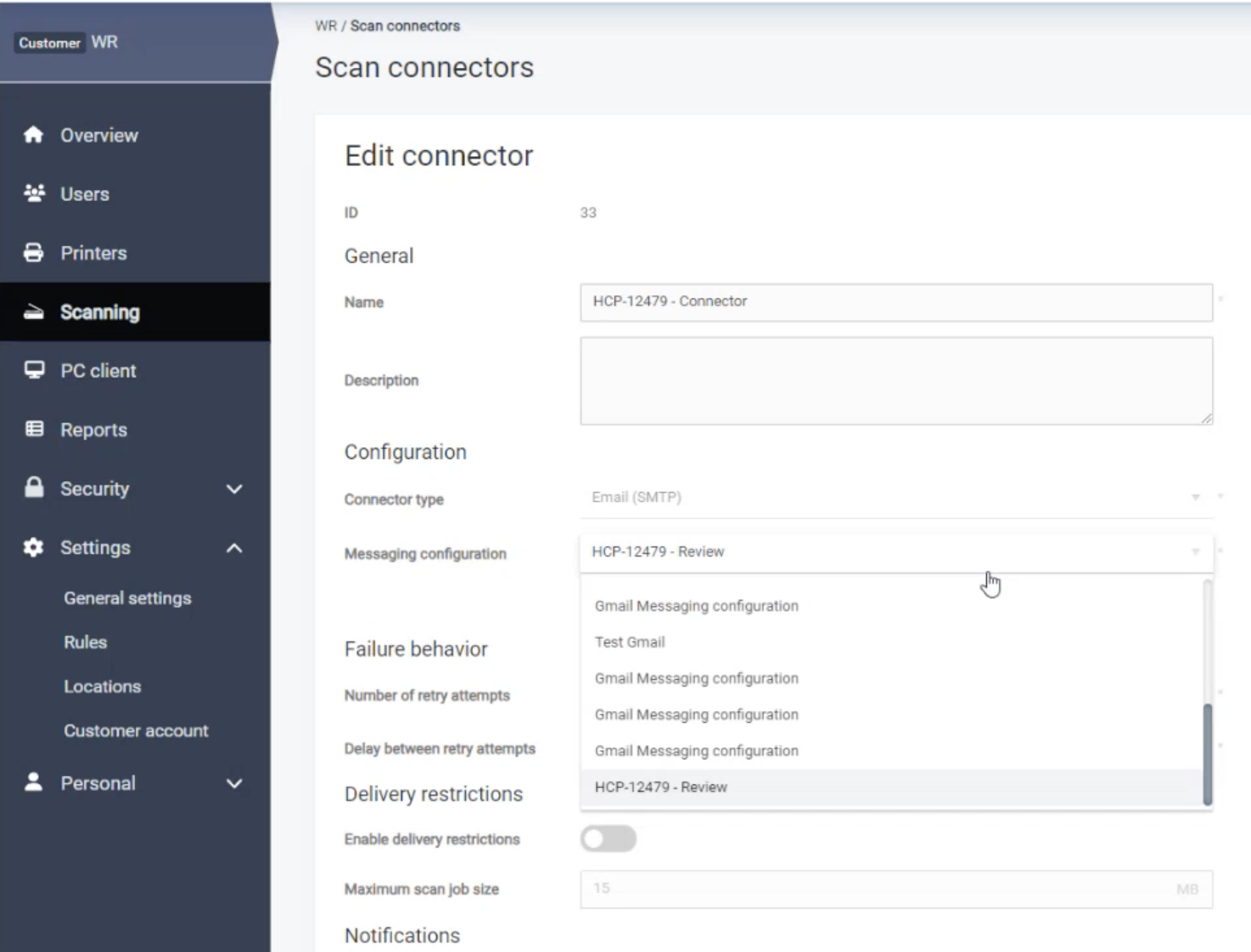
The messaging configuration now allows modern authentication with Google allowing its use in email messages and scan workflows.
2025.02.20
Legend:
Added feature
Improved/changed feature
Bug fixed
UI improvements
Web UI fonts, styles and tooltips updated for improved usability. (HCP-14018, HCP-14019)
User is informed why print job Web Upload is not available for them. (HCP-13793)
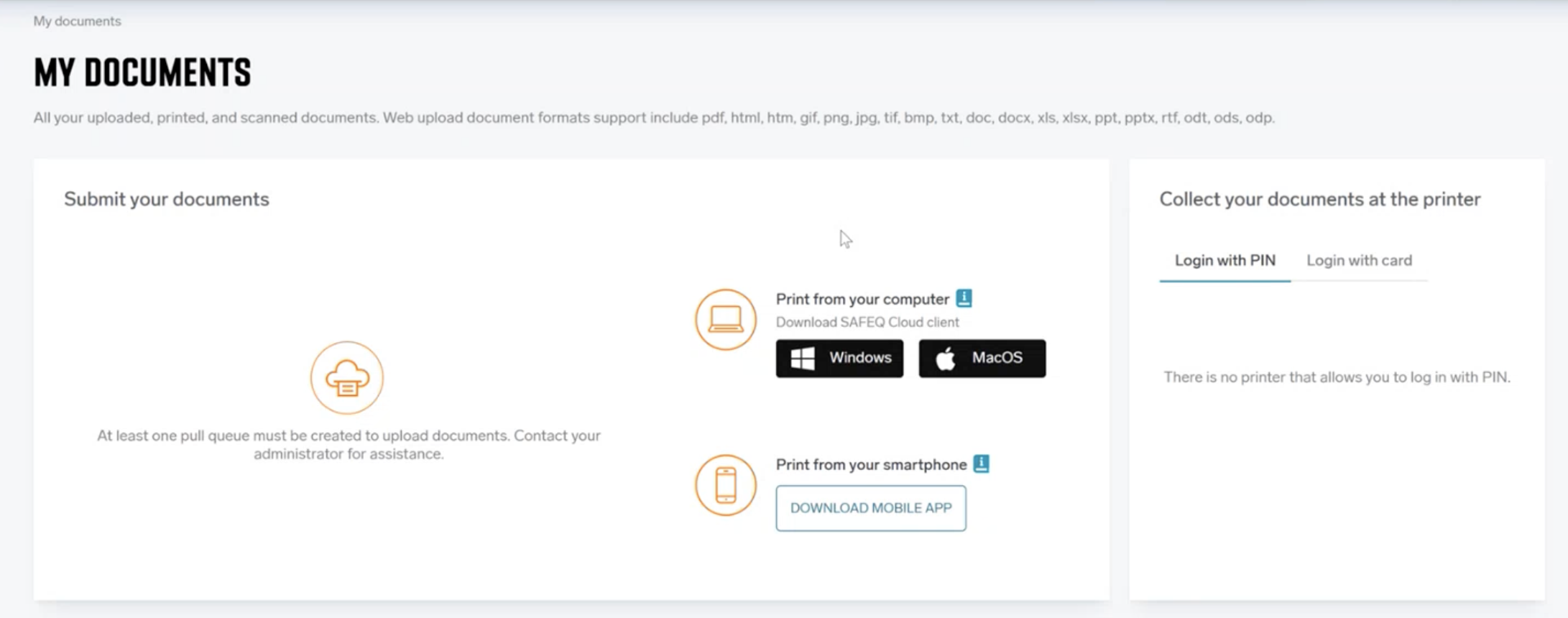
A user can go to "My profile" and uncheck a print queue even when it was added with "available by default" checked. (HBT-4803)
Web UI now correctly displays the number of pages for each print job when WPP (Windows Protected Print) is enabled. (HBT-5158)
RICOH CloudStream Client
RICOH CloudStream Client auto update now cleans up its folder structure after each version. (HBT-5150)
RICOH CloudStream Client correctly auto updates to the selected version and automatically restarts. (HBT-5218)
A user is not allowed to use a blank PIN when logging in(HBT-5107)
Terminals
KM OpenAPI terminal connected to OMNI bridge no longer stops responding with multiple logout button clicks. (HBT-5188)
2025.02.06
Legend:
Added feature
Improved/changed feature
Bug fixed
UI improvements
RICOH CloudStream Client auto update report now contains more information, can be exported into multiple formats and filtered by time period. (HCP-14108)
Web UI informs administrators about implications of using built-in CA. (HCP-14104)
Locations can now be reordered. (HBT-5058)
Sharp Gen 2 Cloud Terminal (v2025.02.01)
Sharp Gen 2 Cloud Terminal requires admin password to access application settings. (HCP-13789)
Sharp Gen 2 Cloud Terminal requires admin password to access application logs. (HCP-13931)
Sharp Gen 2 Cloud Terminal UI improvements when folder-browsing. (HCP-13945)
API
The system can now process print job types even if they are not recognized as Postscript, PDF or PCL6 jobs. They are no longer rejected. (HBT-5078)
Various performance and security enhancements
Virtual appliance OVA (Build 20240821_0932) now longer fails on vSphere with: An invalid argument “configSpec.guestId” error. (HBT-5071)
HTTP Options methods are only used when needed. (HBT-5077)
Improved security of HTTP headers. (HBT-5076)
Weak cipher suites were disabled. (HBT-5075)
2025.01.23
Legend:
Added feature
Improved/changed feature
Bug fixed
RICOH CloudStream Client
-
-
Page range
-
Stapling
-
Punching
-
Input tray
-
Output tray
-
More paper sizes
-
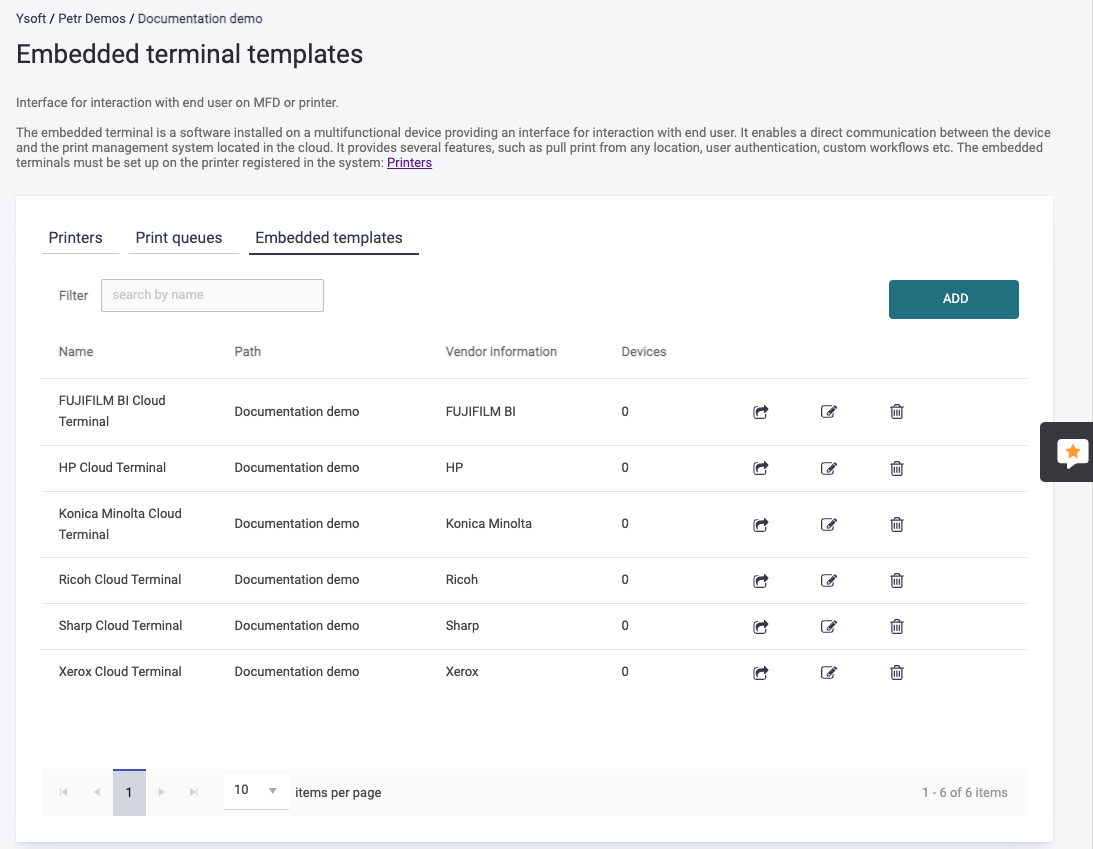
UI improvements
-
-
Scanning
-
SafeQ Mobile application
-
Konica Minolta Gen 2 Cloud Terminal (v2025.01.01)
-
-
-
-
Quick copy action on IT6 machines no longer triggers the "separate scans" native dialog.
-
-
-
2025.01.09
Legend:
Added feature
Improved/changed feature
Bug fixed
RICOH CloudStream Client
-
-
-
-
Sharp Gen 2 Cloud Terminal - Production release
-
Web Admin UI
-
-
-
-
-
Xerox Gen 2 Cloud Terminal
-
Kyocera Embeded Terminal
-
Scanning
-